 Myfxbook
 How to purchase and update products?
 FAQ – Frequently Asked Questions & Important Information at TopEAstore.com

 VPS
 DOWNLOADS
 My account

Nas Hunter MT5 Unlimited + SetFiles

$20
Nas Hunter MT5 is a professional NAS100 breakout Expert Advisor featuring 8 independent trading strategies, flexible risk management, automated lot sizing, NFP news protection, and session controls. Designed for MetaTrader 5, it combines multi-timeframe diversification with disciplined trade execution. No Grid. No Martingale.
Receive your product instantly via email right after purchase.
All products sold on our website are full, unlimited-use versions.
Any new versions we receive will be automatically added to your account.
No hidden fees—what you see is what you pay.
Nas Hunter MT5 – 8 Powerful Breakout Strategies for NAS100 Trading
Nas Hunter MT5 is an advanced multi-strategy Expert Advisor (EA) designed specifically for trading the NAS100 (Nasdaq 100) index. Combining eight independent breakout strategies into one intelligent trading system, Nas Hunter aims to capture market opportunities across multiple timeframes while maintaining structured risk management.
Built for traders who value flexibility, diversification, and disciplined execution, this EA offers automated position sizing, NFP news protection, trading session controls, and a real-time performance dashboard.
With no Grid and no Martingale, Nas Hunter focuses on independent breakout trading strategies and controlled exposure, making it a versatile tool for traders looking to automate their NAS100 trading approach on MetaTrader 5.
Overview – One EA, Eight Independent Breakout Strategies
Nas Hunter MT5 brings eight independent breakout strategies together under a single Expert Advisor. Each strategy operates with its own configuration, allowing traders to diversify their trading approach without installing multiple EAs on separate charts.
Every strategy has its own:
- Unique Magic Number for accurate trade identification.
- Dedicated trade comment for easier monitoring.
- Individual timeframe settings.
- Independent risk and position sizing parameters.
- Separate enable/disable control.
This modular architecture gives traders complete control over their trading portfolio. You can activate all eight strategies simultaneously or select only the strategies that match your preferred trading style and risk tolerance.
By combining different breakout approaches and timeframes, Nas Hunter aims to identify a wider range of potential trading opportunities in the NAS100 market.
Advanced Risk Management and Flexible Lot Sizing
Effective risk management is essential when trading a volatile index like NAS100. Nas Hunter MT5 provides two position-sizing methods to accommodate different trading preferences and account sizes.
1. AutoLots – Risk-Based Position Sizing
The AutoLots mode automatically calculates trade volume based on a percentage of the account balance. Traders can also enter a manual balance value to customize the calculation.
A Global Risk Multiplier is available to adjust the overall exposure across all eight strategies without modifying each strategy individually.
2. FixedLots – Manual Position Sizing
For traders who prefer consistent position sizes, FixedLots allows you to assign a specific lot size to each strategy independently.
Additional execution safeguards include:
- Pre-trade margin checks to verify available free margin.
- Pending-order price validation against the broker’s minimum stop distance.
- Independent strategy-level position sizing.
- Unique Magic Numbers to distinguish trades from different strategies.
These features help maintain more structured trade execution and account exposure.
NFP News Filter – Protection Around Major Economic Events
The NAS100 can experience significant volatility during major US economic announcements, particularly Non-Farm Payrolls (NFP).
Nas Hunter MT5 includes a configurable NFP filter designed to manage trading activity around scheduled NFP releases.
Key features include:
- Configurable trading suspension before NFP announcements.
- Adjustable waiting period after the news release.
- Automatic cancellation of pending orders.
- Optional closure of open positions.
- Restoration of saved pending orders after the news filter clears.
The EA supports two NFP scheduling methods:
- Live Economic Calendar: Uses the MT5 economic calendar to identify upcoming NFP events.
- Historical NFP Date Table: Uses predefined historical release dates for consistent Strategy Tester backtesting.
This gives traders greater flexibility when managing exposure around important economic announcements.
Trading Session Control – Manage When the EA Trades
Nas Hunter MT5 allows traders to define specific trading hours according to their preferred trading schedule.
The session control system includes:
- Customizable trading start and end hours.
- Automatic avoidance of new entries on Saturdays and Sundays.
- Optional deletion of pending orders when the weekend is detected.
- Optional closure of all open positions and pending orders at the Friday end hour.
These controls help traders manage their exposure outside preferred trading sessions and reduce the risk of carrying positions through weekend market gaps.
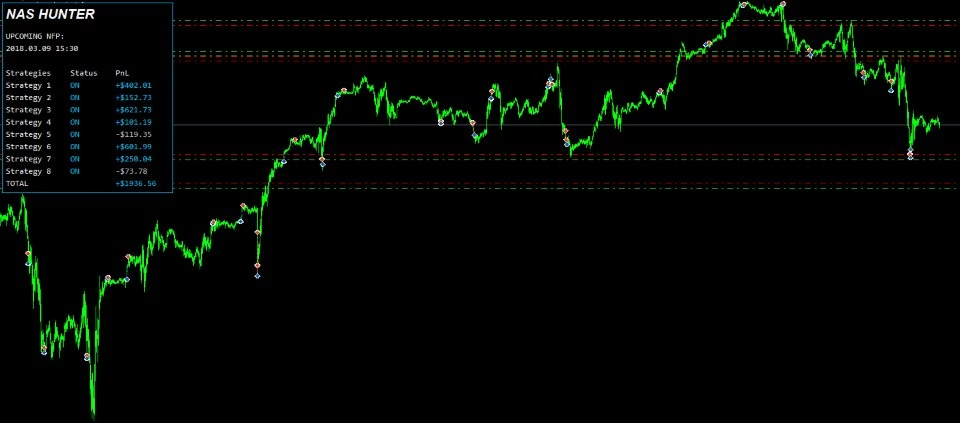
Real-Time On-Chart Dashboard – Monitor All Eight Strategies
Monitoring multiple strategies can be challenging without a centralized interface. Nas Hunter MT5 solves this with an integrated on-chart information panel.
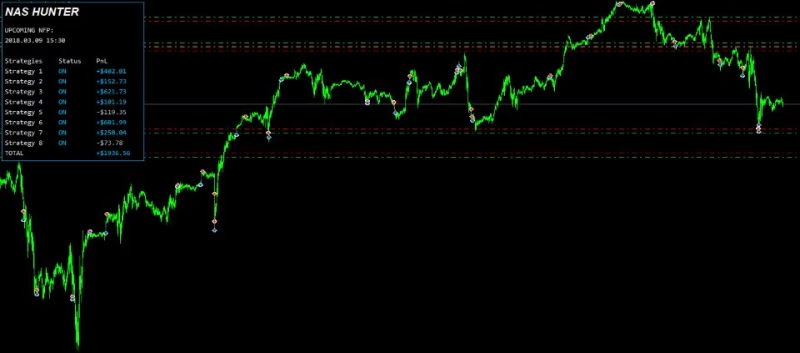
The dashboard provides a clear overview of the EA’s trading activity, including:
- Individual ON/OFF status for all eight strategies.
- Realized profit and loss for each strategy.
- Floating profit and loss for each strategy.
- Combined performance across all eight strategies.
- Information about the next scheduled NFP release.
Traders can also customize the dashboard refresh interval or hide the information panel entirely.
For improved backtesting efficiency, an option automatically disables the dashboard during Strategy Tester runs.
Why Choose Nas Hunter MT5?
Nas Hunter MT5 is designed for traders who want a structured, multi-strategy approach to automated NAS100 trading.
Its key advantages include:
- Eight Independent Strategies: Run multiple breakout systems through one EA.
- Multi-Timeframe Trading: Each strategy operates using its own timeframe configuration.
- No Grid Trading: Does not rely on grid-based position accumulation.
- No Martingale: Does not use martingale-style lot multiplication.
- Flexible Risk Management: Choose between automatic risk-based sizing and fixed lots.
- Global Risk Control: Adjust overall exposure using a single multiplier.
- NFP News Protection: Manage trading activity around major NFP releases.
- Session Management: Define trading hours and weekend trading restrictions.
- Centralized Dashboard: Monitor individual and combined strategy performance.
Rather than relying on a single trading setup, Nas Hunter combines multiple independent breakout approaches into one configurable trading system.
Recommended Trading Setup
For optimal deployment, the following configuration is recommended:
| Parameter | Recommendation |
|---|---|
| Expert Advisor | Nas Hunter MT5 |
| Trading Symbol | NAS100 / US100 / USTEC |
| Platform | MetaTrader 5 |
| Chart Timeframe | Any timeframe |
| Account Type | ECN or Standard |
| Minimum Balance | $200 (subject to broker conditions) |
| Recommended Balance | $500 if the broker does not support 0.01 minimum lots |
| Hosting | VPS recommended |
Important: The minimum recommended balance depends on your broker’s NAS100 contract specifications, minimum lot size, margin requirements, and trading conditions. A larger balance may be necessary depending on the selected risk settings.
Although the EA can be attached to any chart timeframe, it reads each strategy’s configured timeframe internally.
For more stable automated execution, using a reliable VPS is recommended.
Full Parameter Configuration
Nas Hunter MT5 offers comprehensive settings, allowing traders to customize the EA according to their trading objectives.
Info Panel Settings
- Show on-chart Info Panel.
- Turn off Info Panel during backtesting.
- Panel Refresh Interval (seconds).
Common Trading Inputs
- Global Risk Multiplier.
- Manual Balance for Lot Calculation.
- Lot Method (AutoLots or FixedLots).
- TradeComment.
- Base Magic Number.
Trading Filters
- Don’t Open New Strategies on Saturday/Sunday.
- Delete Pending Strategies Once Weekend Is Detected.
- Close All Trades at Friday End Hour.
NFP Filter Settings
- Enable or Disable NFP Filter.
- Stop Trading Before NFP (Minutes).
- Resume Trading After NFP (Minutes).
- Close Pending Orders on NFP.
- Close Open Positions on NFP.
- Restore Pending Orders Once NFP Filter Clears.
Strategy Selection
- Enable/Disable Strategy 1.
- Enable/Disable Strategy 2.
- Enable/Disable Strategy 3.
- Enable/Disable Strategy 4.
- Enable/Disable Strategy 5.
- Enable/Disable Strategy 6.
- Enable/Disable Strategy 7.
- Enable/Disable Strategy 8.
Fixed Lot Size Settings
- Individual Fixed Lot Size for Strategy 1 through Strategy 8.
Each parameter is designed to provide greater control over strategy selection, position sizing, trade management, and overall EA behavior.
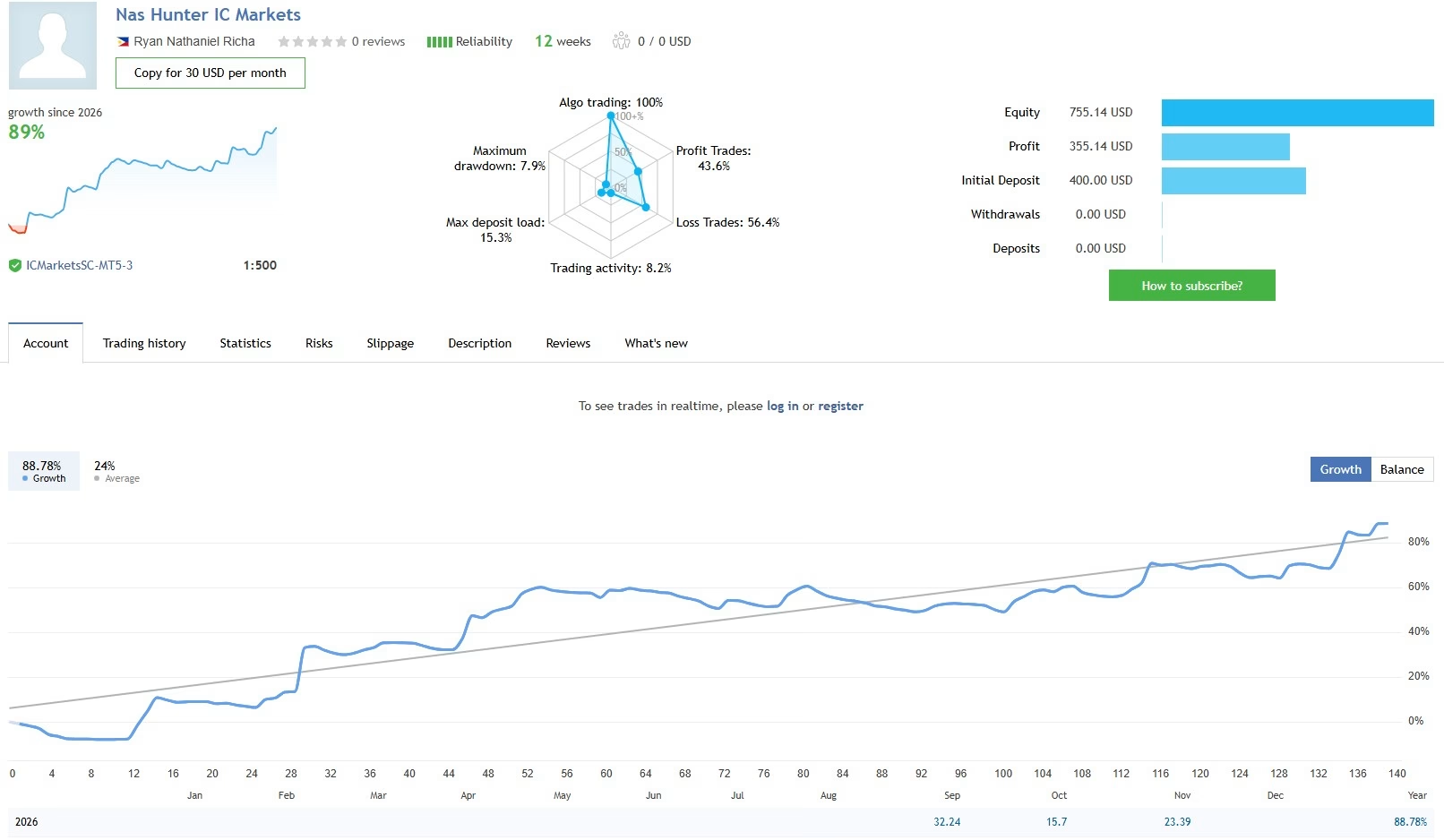
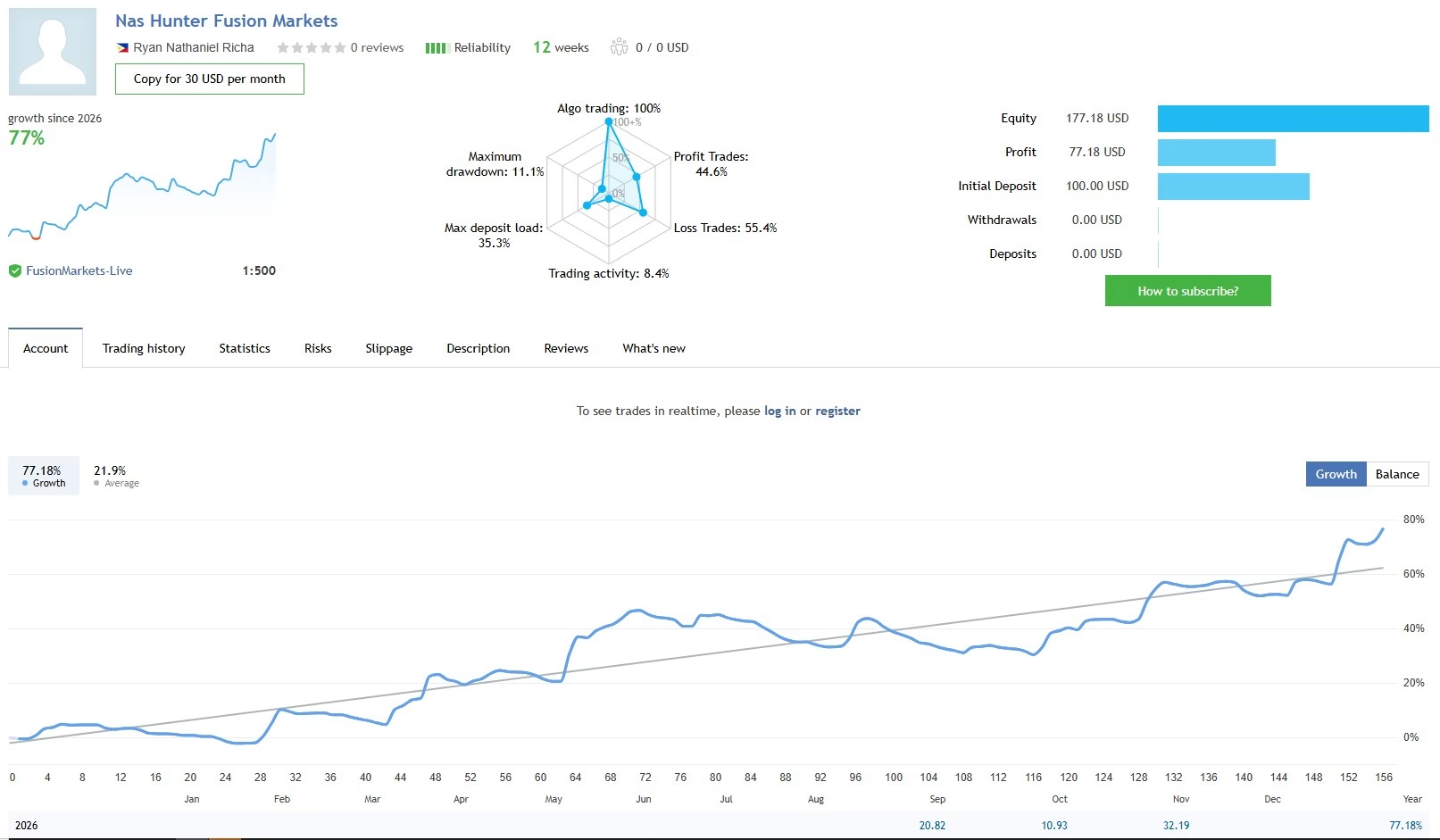
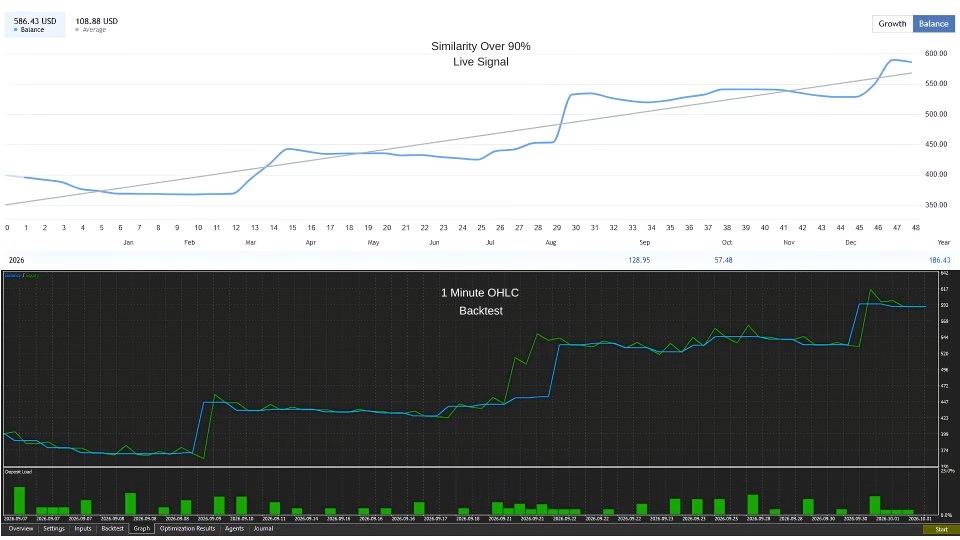
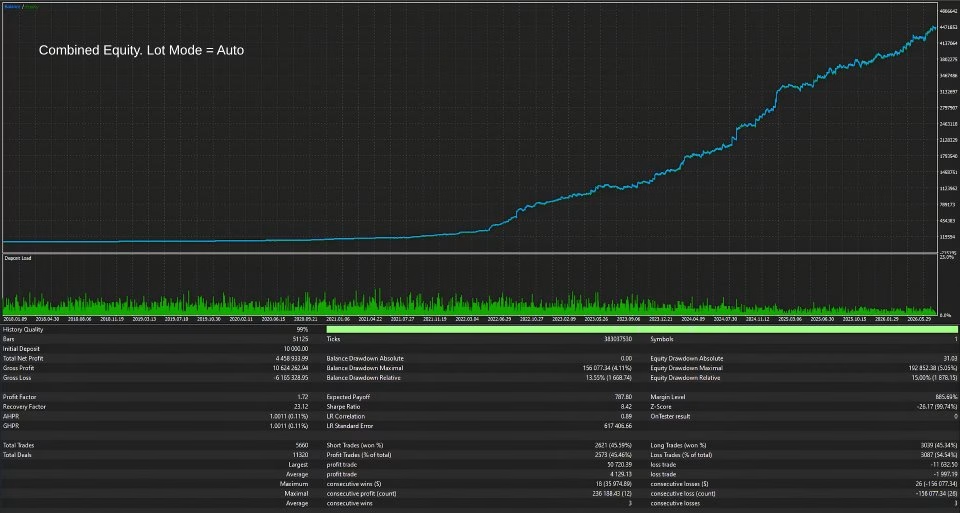
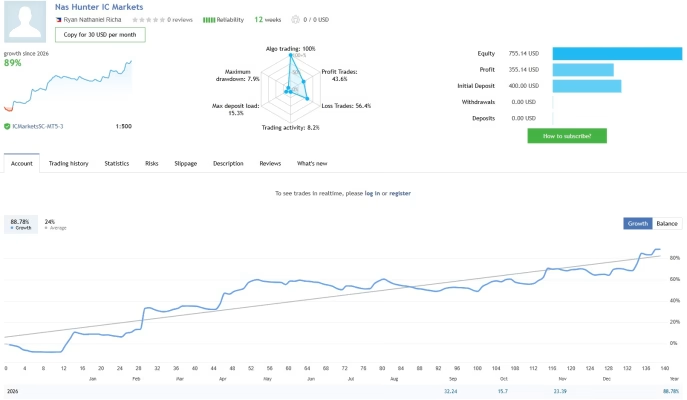
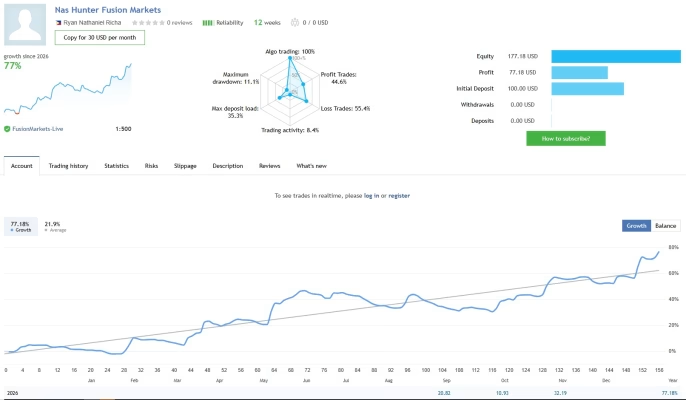
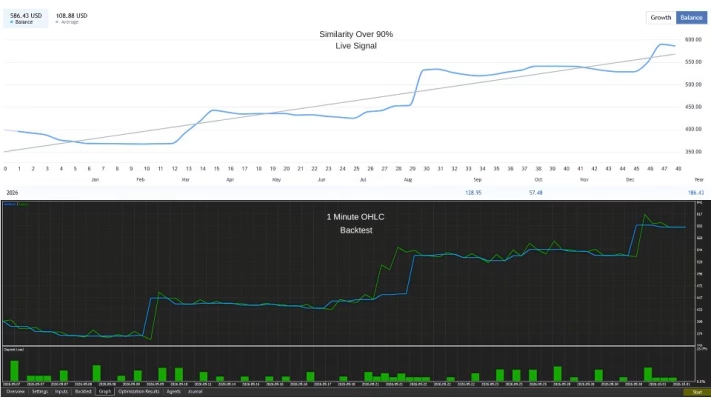
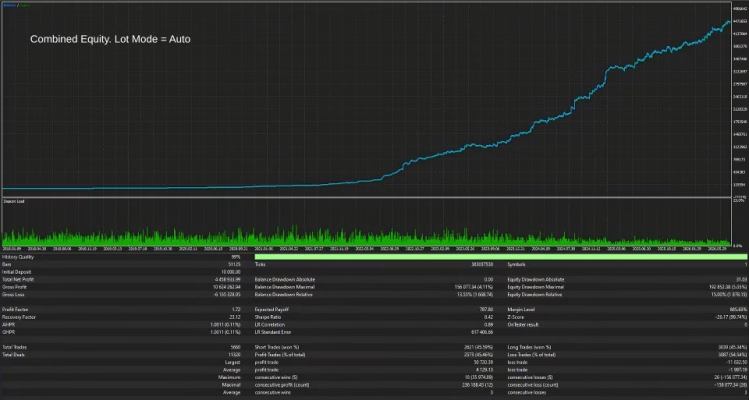
Live Trading Performance and Download
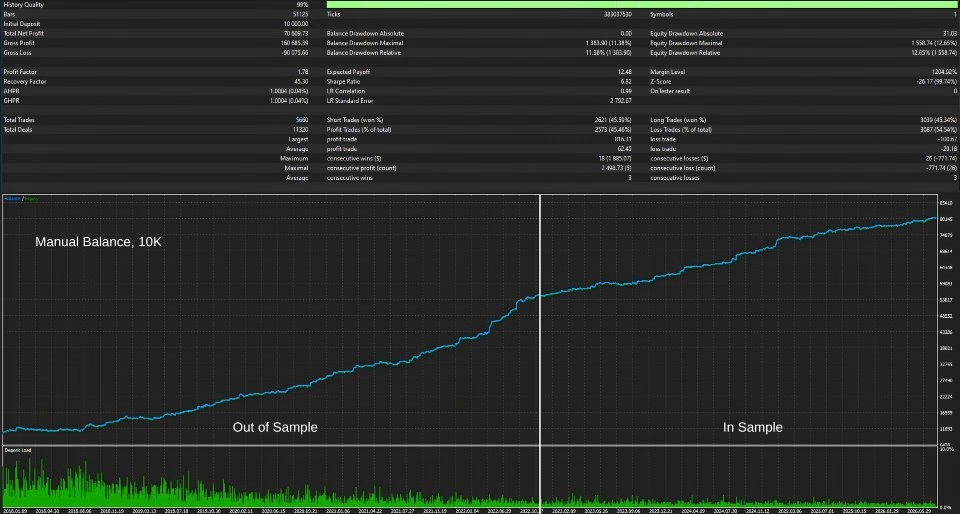
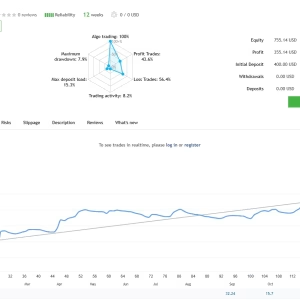
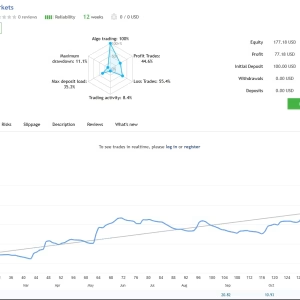
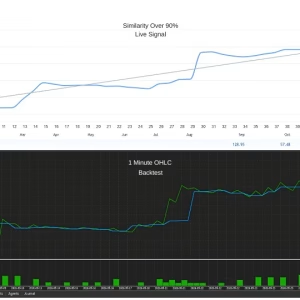
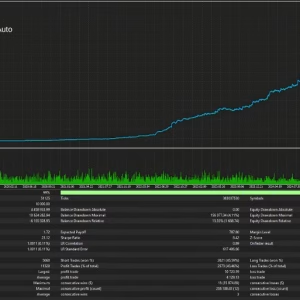
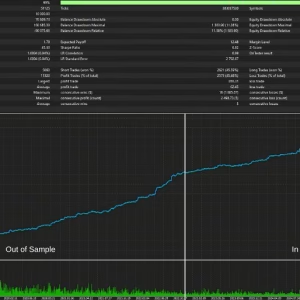
Explore the available live trading signals and configuration file to learn more about Nas Hunter and its trading setup.
- Live Signal 1: https://www.mql5.com/en/signals/2390033
- Live Signal 2: https://www.mql5.com/en/signals/2389019
- Download Setfile: https://c.mql5.com/31/2339/Nas_Hunter_1_2_Auto.set
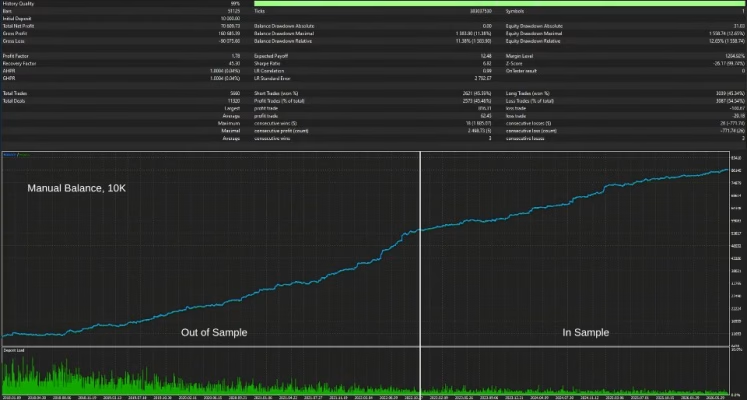
Review the available signal history, trading activity, and risk metrics before deciding whether the EA is suitable for your account.
Final Thoughts – A Multi-Strategy Approach to NAS100 Automation
Nas Hunter MT5 combines eight independent breakout strategies, flexible position sizing, news filtering, and session management into one comprehensive automated trading solution.
Its modular architecture allows traders to customize their trading portfolio, control exposure, and monitor performance from a single chart.
Whether you prefer running all eight strategies together or selecting individual systems, Nas Hunter provides the flexibility to build a structured approach to NAS100 trading.
No Grid. No Martingale. Eight Strategies. One Expert Advisor.
Trade with discipline, configure your risk carefully, and always evaluate performance through thorough backtesting and forward testing before using the EA on a live account.
Related products

EXPERT ADVISOR


EXPERT ADVISOR


EXPERT ADVISOR


EXPERT ADVISOR


EXPERT ADVISOR


EXPERT ADVISOR


EXPERT ADVISOR

EXPERT ADVISOR