 Myfxbook
 How to purchase and update products?
 FAQ – Frequently Asked Questions & Important Information at TopEAstore.com
 VPS
VPS DOWNLOADS
 My account
How to Buy EA & Indicators on TopEAstore.com
Buying your favorite Expert Advisors (EAs) and Indicators is quick and easy. Just follow these 4 simple steps:
Step 1: Choose Products
Browse our store and select the EA or Indicator you want.
Step 2: Proceed to Checkout
Click on the cart icon and review your order.
Step 3: Make Payment
Pay securely using the available payment methods.
Step 4: Download Instantly
After payment, your product will be ready for immediate download.
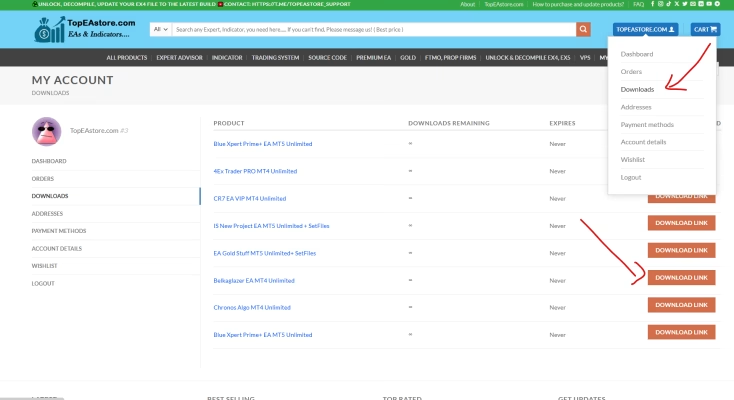
https://topeastore.com/my-account/downloads/
____________________________________________________
You can purchase the EA and download it immediately after payment on our website: https://topeastore.com
you can pay with cryptocurrency (USDT, USDC, BTC, ETH, TON,…) directly on our website by following the steps below:
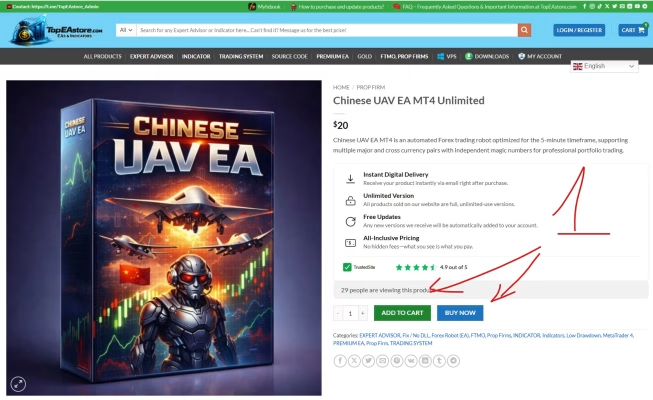
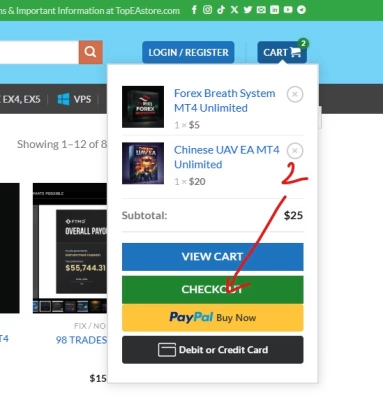
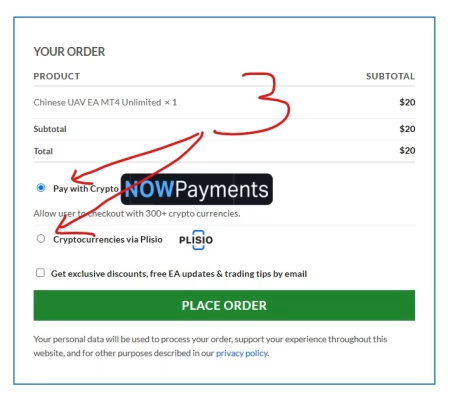

You can purchase the EA and download it immediately after payment on our website: https://topeastore.com
Any new versions we receive will be automatically added to your account.
https://topeastore.com/my-account/downloads/
__________________________________________________________
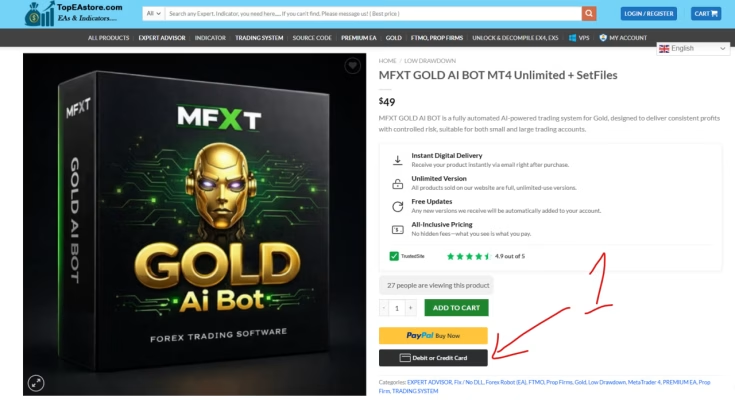
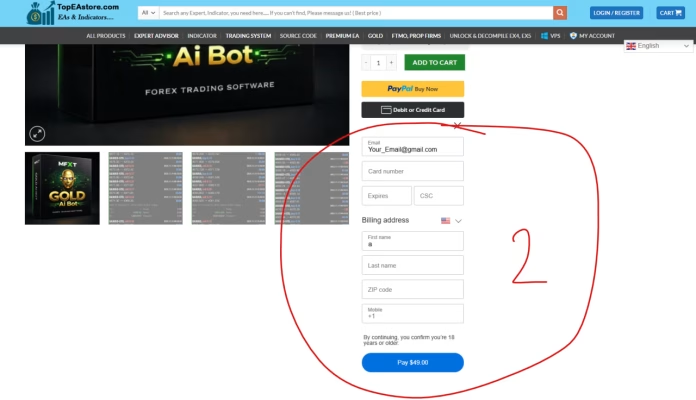
Or Simple payment with a credit or debit card directly on the product page.
Download all purchased products & updates here:
https://topeastore.com/my-account/downloads/
Enjoy trading with your new tools! 🚀
__________________________________________________________
📥 How to purchase and update products:
♻️ Auto Purchase 👇 (Always Instant Download After Purchase)
🏆 Premium EAs: https://topeastore.com/
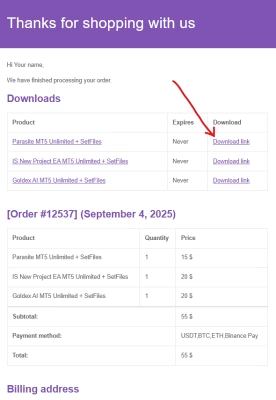
After payment. An email will automatically be sent to your inbox. Download from here
Or message me with payment image and receive EA via telegram https://t.me/TopEAstore_Admin
You can also download all versions and future updates, with this same download link.
✍️ You can also buy manually with Other Payment Methods (Other Payment Methods) as follows:
◀️ Contact >> Payment >> Receive files
🔍 Any EA you need if not in the list please contact me!
☎️ Support 24/7 : https://t.me/TopEAstore_Admin
◀️ Here you will find everything you need for trading: Expert Advisor, Indicator, Trading System, Trading Tools, Source Code, Software, Course And Many More….
🖥 Group: https://t.me/BestForexTool
🖥 Channel: https://t.me/ForexTrading_Tool
🏇 Join & Follow to not miss important updates:
🎁🎁🎁Share this post to all groups in your telegram and message me to get the EA gift set🎁🎁🎁!!!