 Myfxbook
 How to purchase and update products?
 FAQ – Frequently Asked Questions & Important Information at TopEAstore.com

 VPS
 DOWNLOADS
 My account

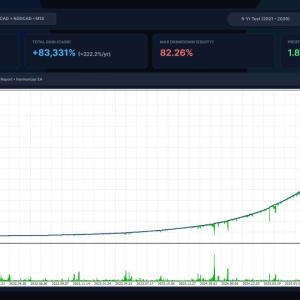
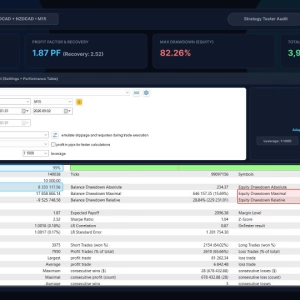
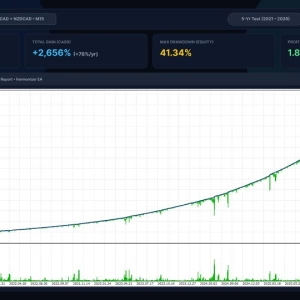
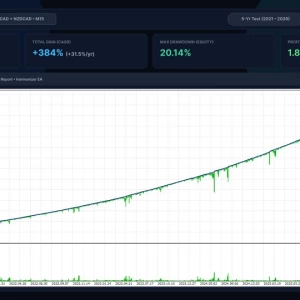
Harmonizer EA MT5 Unlimited

$20
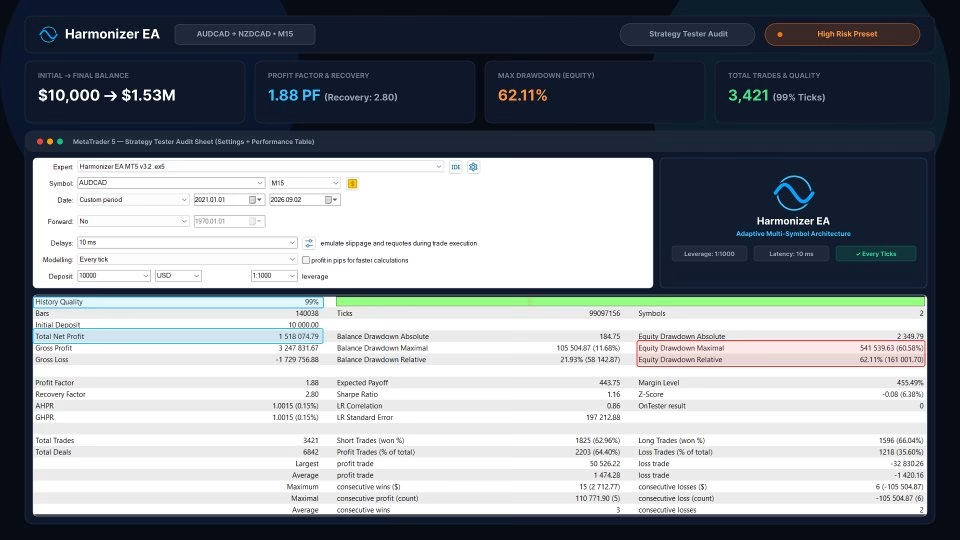
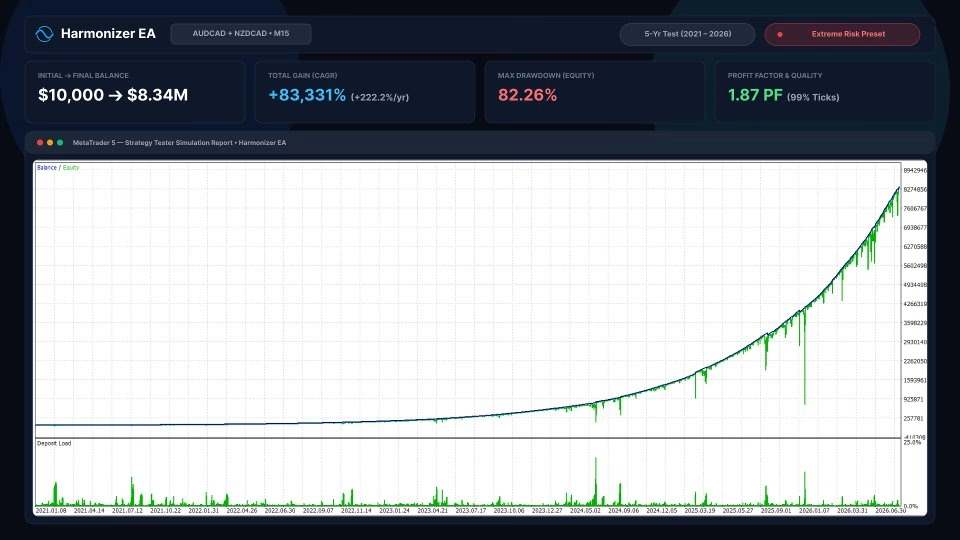
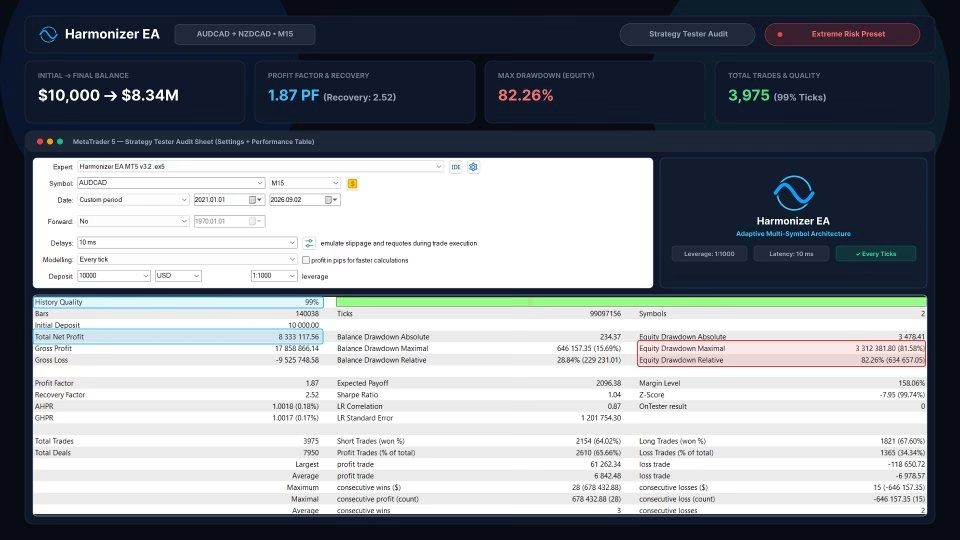
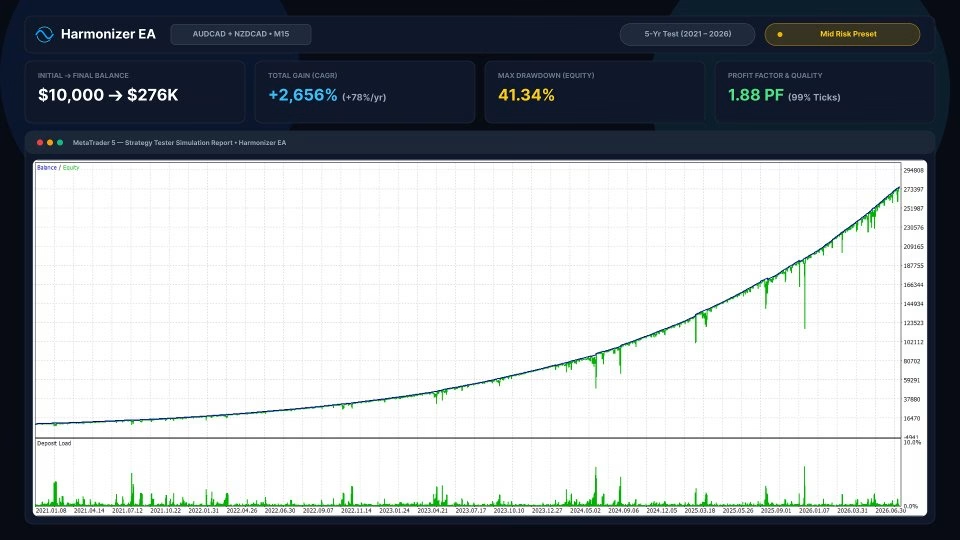
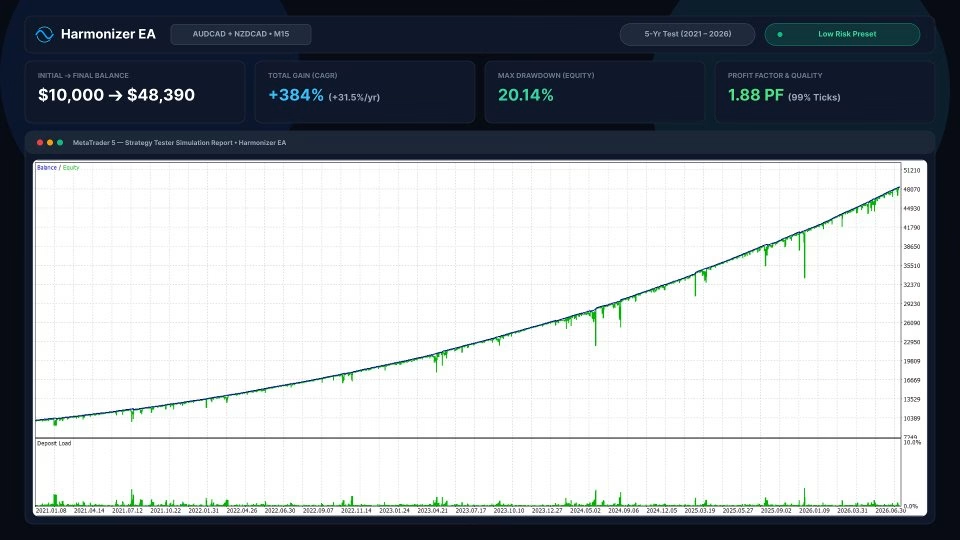
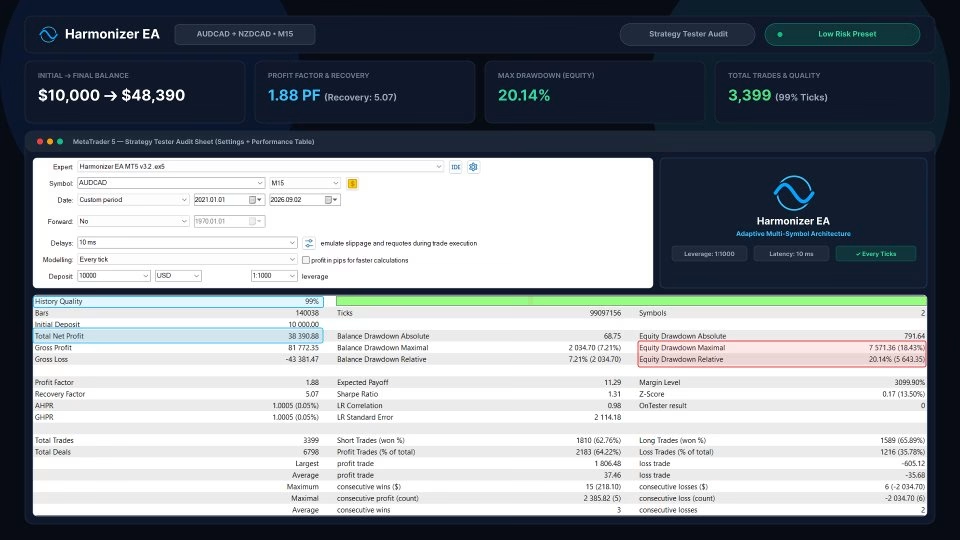
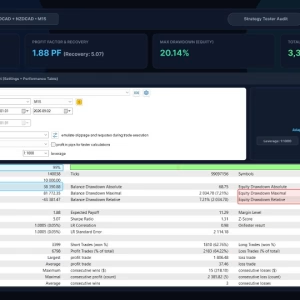
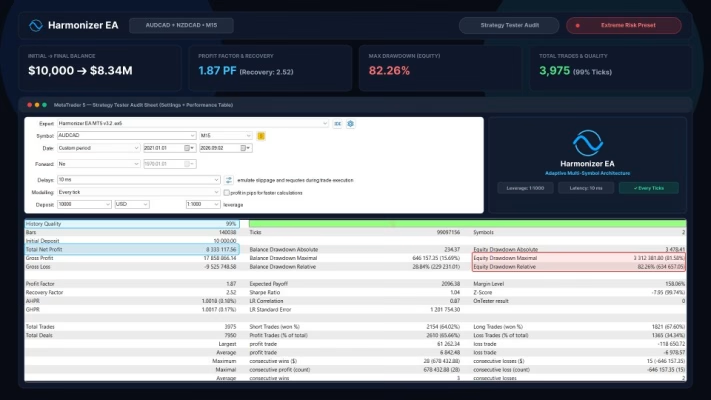
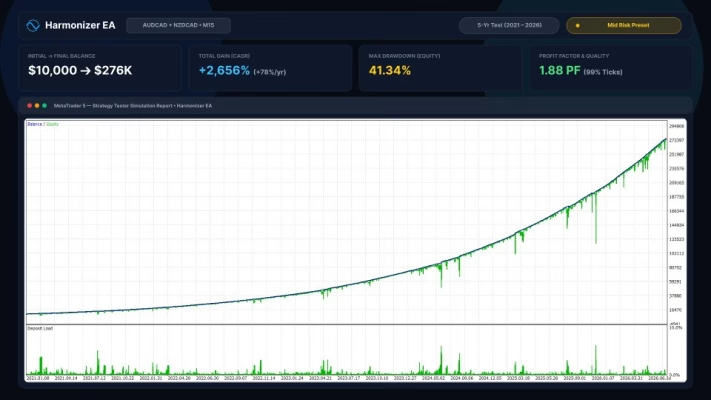
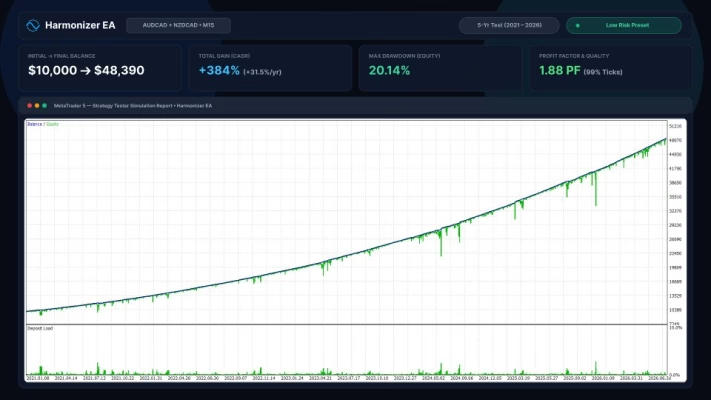
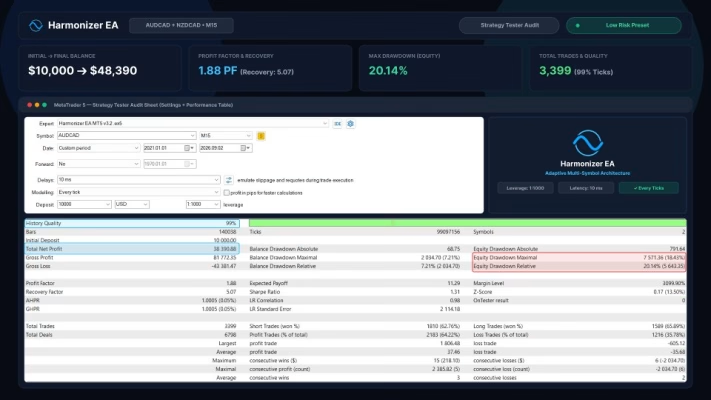
Harmonizer EA MT5 is an intelligent grid trading Expert Advisor for MetaTrader 5 that uses market volatility to optimize trade entries and dynamically adjust grid distances. Featuring advanced money management, global and daily drawdown protection, an economic news filter, and multi-symbol trading capabilities, it provides traders with a flexible framework for automated Forex trading. Designed with capital preservation in mind, Harmonizer EA supports customizable risk settings and operates from a single M15 chart.
Receive your product instantly via email right after purchase.
All products sold on our website are full, unlimited-use versions.
Any new versions we receive will be automatically added to your account.
No hidden fees—what you see is what you pay.
Harmonizer EA MT5 – Advanced Volatility-Based Grid Trading Expert Advisor
Harmonizer EA MT5 is an advanced MetaTrader 5 Expert Advisor (EA) designed to automate grid trading through an intelligent, volatility-based algorithm. Instead of relying on fixed market conditions or overfitted historical data, Harmonizer EA dynamically adjusts trade entry positions according to current market volatility, helping traders adapt to changing market environments.
Built with a strong focus on capital preservation and risk management, this automated trading system combines smart grid spacing, flexible money management, drawdown protection, and an integrated economic news filter. It is designed to provide a structured approach to multi-symbol trading while minimizing the need for constant manual intervention.
With support for multiple currency pairs and centralized control from a single chart, Harmonizer EA MT5 offers a practical solution for traders seeking a more systematic and disciplined grid trading strategy.
Advanced Volatility-Based Trading Algorithm
Unlike conventional grid trading robots that rely on fixed entry distances, Harmonizer EA MT5 uses an advanced algorithm to calculate individual trade entry positions based on market volatility.
Its adaptive approach allows the EA to respond to changing market conditions by adjusting trading distances rather than following a rigid grid structure. This helps create a more flexible trading strategy that can accommodate different volatility environments.
Another important advantage is that the system is not designed around curve-fitted historical data. Instead, it focuses on market volatility as a dynamic input for trade placement.
Intelligent Grid Trading Management
Harmonizer EA MT5 incorporates smart grid management to control the spacing between consecutive positions. Traders can customize the minimum trade distance and configure different multipliers for various stages of the grid.
Key grid parameters include:
- Trade Distance: Defines the minimum distance between individual trades in points.
- Smart Distance: Dynamically adjusts grid spacing according to market conditions.
- 2nd Trade Multiplier: Controls the distance multiplier for the second trade.
- 3rd–5th Trade Multiplier: Adjusts spacing for the third through fifth positions.
- 6th Trade Multiplier: Determines the distance multiplier for the sixth and subsequent trades.
- Maximum Trades: Limits the maximum number of positions within each trade cycle.
These settings provide greater flexibility in controlling grid exposure and managing position accumulation.
Advanced Money Management and Risk Protection
Effective risk management is essential when operating any grid trading system. Harmonizer EA MT5 provides several money management options, allowing traders to configure position sizing according to their account balance and risk tolerance.
Available lot calculation methods:
- Fixed Lots: Uses a predefined lot size for initial positions.
- Deposit Load: Calculates the initial lot size based on the selected deposit load percentage.
- Predefined Risk Levels: Automatically calculates position sizes according to one of four predefined risk profiles.
The EA also includes multiple protection mechanisms:
Global Drawdown Protection
Traders can configure maximum account drawdown limits using percentage, points, or account currency. The EA monitors the selected threshold and stops trading when the configured limit is reached.
Daily Drawdown Protection
Designed with prop firm trading requirements in mind, this feature allows traders to establish daily loss limits based on percentage or account currency.
Take Profit Management
The Take Profit parameter defines the target profit in points for each group of trades.
Trailing Stop Loss
The built-in Trailing Stop Loss feature activates when a trade session reaches the specified profit trigger. Traders can then configure the trailing distance to help protect accumulated profits.
These tools offer additional control over trading exposure, although they cannot eliminate the risks associated with grid trading or guarantee a maximum loss under all market conditions.
Integrated Economic News Filter
Major economic announcements can create sudden volatility and unpredictable price movements in the Forex market. To help manage exposure during these periods, Harmonizer EA MT5 includes an integrated economic news filter.
The filter supports both live trading and backtesting, with customizable settings such as:
- News Filter: Enables or disables economic news filtering.
- Wait to Open Initial Trade: Prevents new trading cycles from starting around scheduled economic events.
- Wait to Open Secondary Trade: Restricts additional positions when trades are already active.
- Wait Minutes Before Event: Defines how long before an event the EA should stop opening positions.
- Wait Minutes After Event: Determines the waiting period after an economic announcement.
- Consider Medium Impact News: Includes medium-impact economic events in the filtering process.
- Show News Panel: Displays economic calendar information directly on the trading chart.
For backtesting, traders should first run the EA with the news filter enabled to download the economic calendar data. Once the data has been downloaded, it can be used during historical strategy testing.
Multi-Symbol Trading from a Single Chart
One of the practical advantages of Harmonizer EA MT5 is its multi-symbol trading capability.
The EA can monitor and trade multiple currency pairs from a single chart, reducing the need to attach separate EA instances to every trading instrument.
The recommended currency pairs are:
- AUDCAD
- NZDCAD
- AUDNZD (Optional)
Traders can configure the maximum number of symbols traded simultaneously and customize the trading symbol list according to their broker’s specifications.
For instruments outside the recommended list, the Custom Symbol mode allows the EA to trade the symbol attached to its chart. When using multiple instances, traders should assign a unique Magic Number to each instance to avoid trade identification conflicts.
Recommended Trading Setup
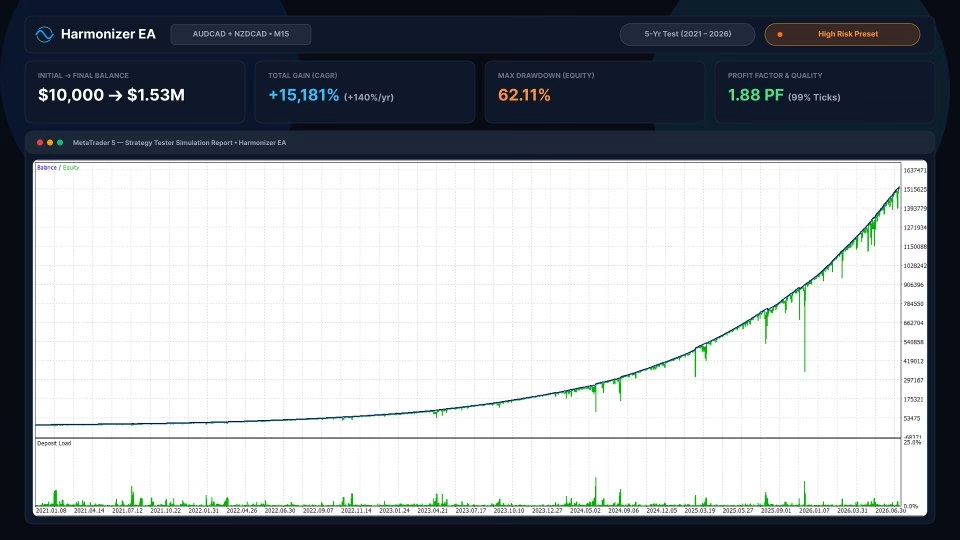
For the initial setup, Harmonizer EA MT5 is recommended to run on a single M15 (15-minute) chart of AUDCAD.
The suggested starting capital is:
- Minimum recommended balance: $500
- Preferred balance for lower exposure: $1,500
- Recommended timeframe: M15
- Recommended leverage: 1:200 or higher
- Account type: Hedging account
- Broker environment: ECN account suggested
- Trading environment: Continuously running VPS
No external .set file is required. Traders can begin with the default settings or conduct backtests to identify configurations that match their trading objectives and risk tolerance.
If your broker uses symbol suffixes, such as AUDCAD.m, make sure to update the Trade Symbols parameter accordingly.
Key Features of Harmonizer EA MT5
Harmonizer EA combines several automated trading and risk management functions in one system.
- Volatility-based adaptive trading algorithm.
- Intelligent grid distance adjustment.
- Designed without relying on overfitted historical data.
- Multiple money management methods.
- Global drawdown protection.
- Daily drawdown protection for prop firm risk rules.
- Take Profit and Trailing Stop Loss management.
- Integrated economic news filter.
- Compatible with live trading and backtesting.
- Multi-symbol trading from one chart.
- Custom symbol trading mode.
- Configurable maximum simultaneous trades and symbols.
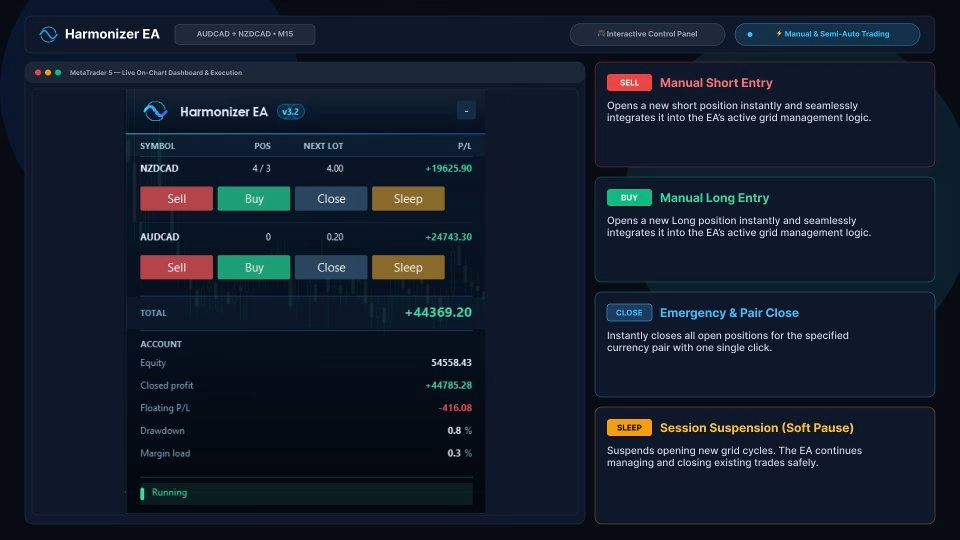
- Live trading performance monitoring.
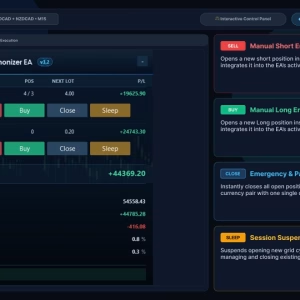
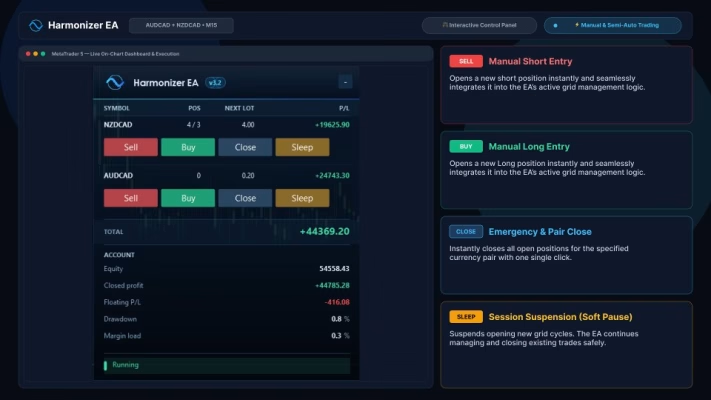
- On-chart graphical user interface.
- Randomized entry delay of up to 10 seconds.
- Developer support.
Account and Technical Requirements
Before running Harmonizer EA MT5, ensure that your trading environment meets the following requirements:
- MetaTrader 5 trading platform.
- Hedging account enabled by your broker.
- ECN account recommended.
- Leverage of at least 1:200 recommended.
- VPS hosting for continuous operation.
- Compatible currency symbols configured correctly.
- Sufficient account capital to support the selected grid and risk settings.
A stable trading environment is important because interruptions in platform or VPS connectivity can affect automated trade management.
Live Trading Performance
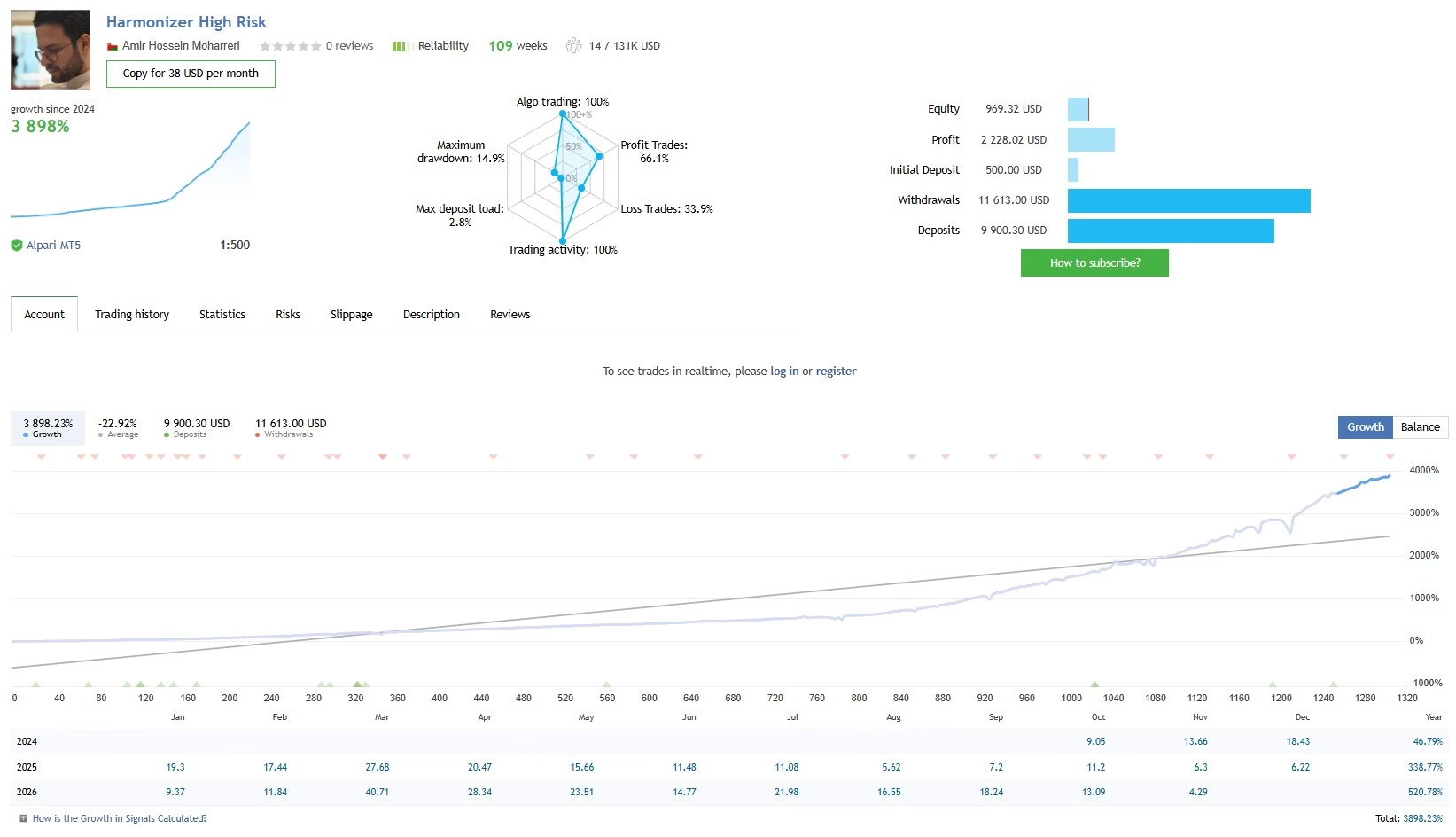
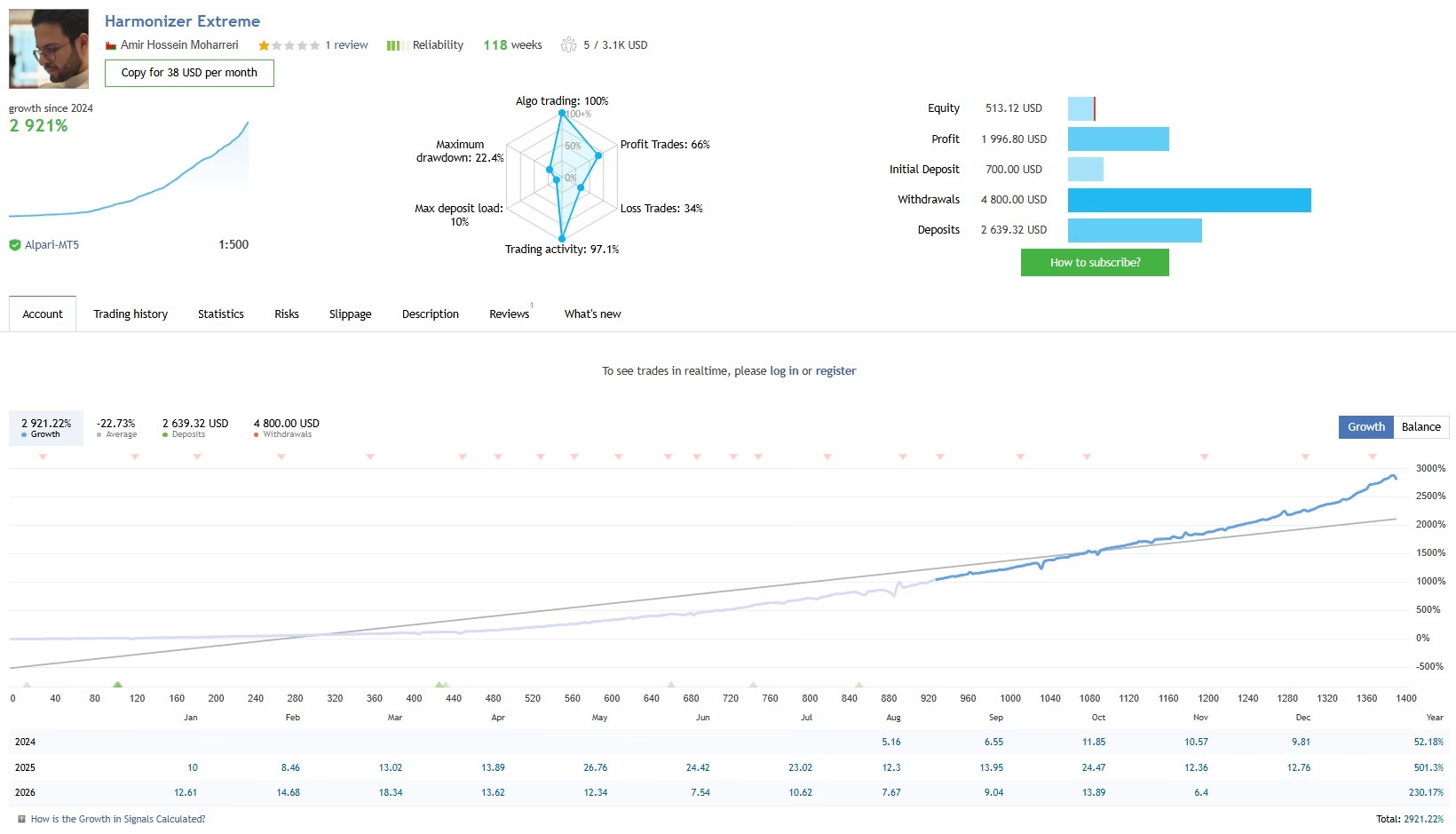
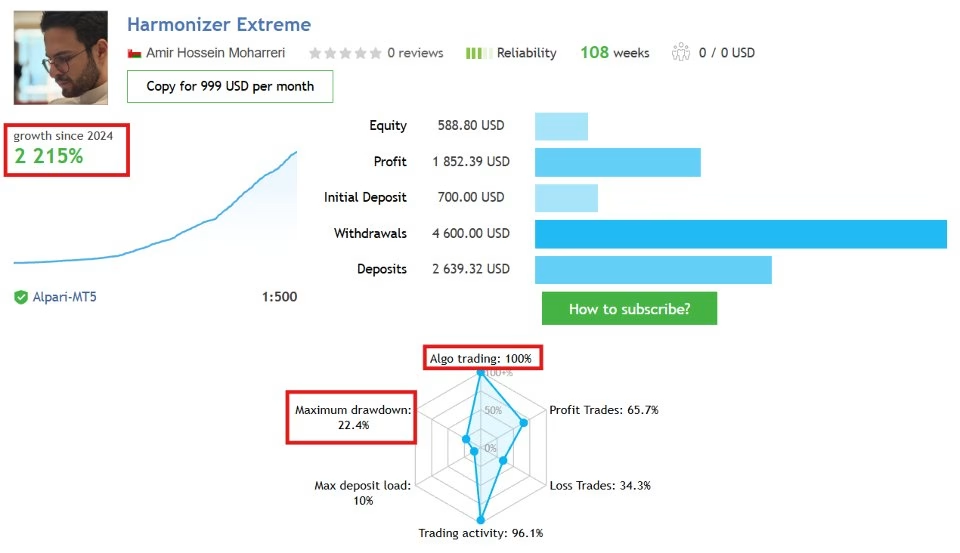
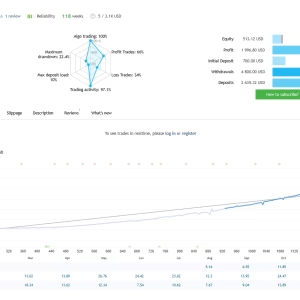
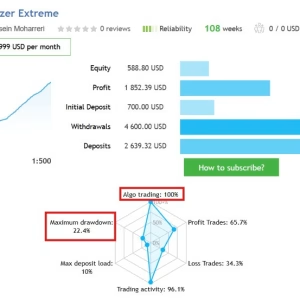
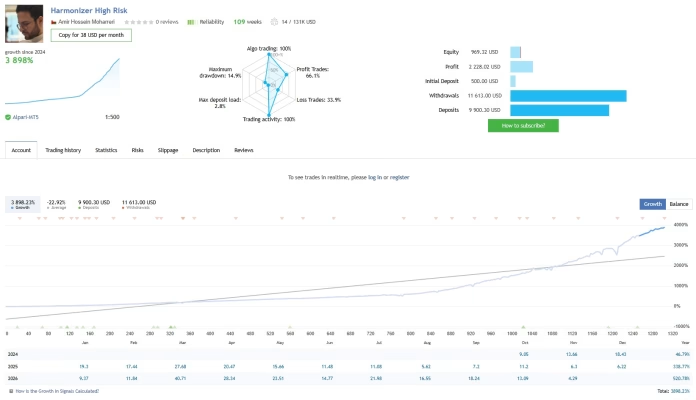
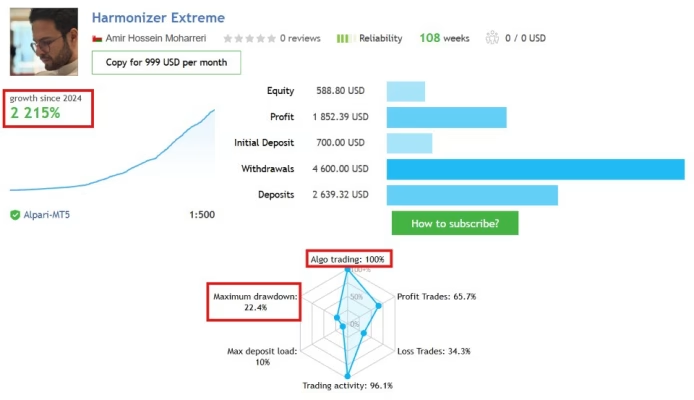
Traders can review the EA’s live trading activity through its published MQL5 signal:
Live Performance: https://www.mql5.com/en/signals/2360068
Reviewing live performance can provide additional insight into the system’s trading behavior, historical drawdown, and account activity. However, past performance does not guarantee future results. Traders should evaluate the signal history carefully and consider the risks before allocating capital.
Is Harmonizer EA MT5 Suitable for You?
Harmonizer EA MT5 may be suitable for traders who:
- Prefer automated grid trading over manual position management.
- Want an adaptive trading system based on market volatility.
- Need multi-symbol trading functionality from a single chart.
- Require configurable global and daily drawdown controls.
- Want to avoid opening new positions around important economic events.
- Prefer flexible lot calculation and grid management settings.
- Are comfortable monitoring and evaluating the risks of automated Forex strategies.
However, grid trading involves the possibility of accumulating multiple positions during prolonged adverse market movements. A strong risk management plan and sufficient account capital are therefore essential.
Final Thoughts: Is Harmonizer EA MT5 Worth Considering?
Harmonizer EA MT5 combines volatility-based trade positioning, intelligent grid management, flexible money management, and integrated news filtering into one automated trading solution for MetaTrader 5.
Its multi-symbol functionality and customizable risk controls make it a flexible tool for traders who want to explore systematic grid trading without relying entirely on fixed-distance entry strategies.
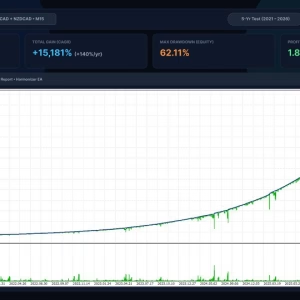
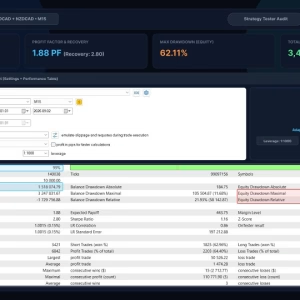
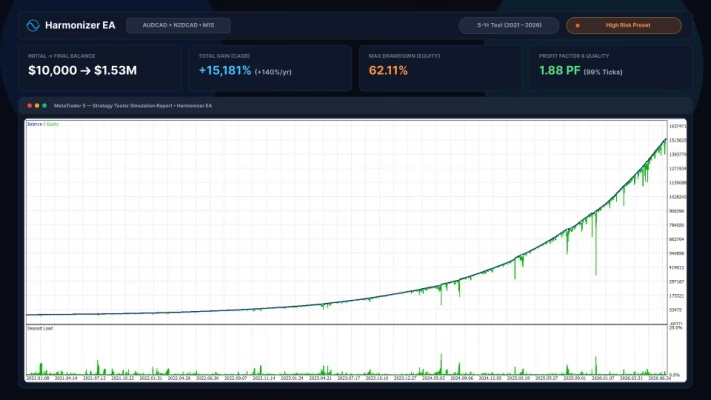
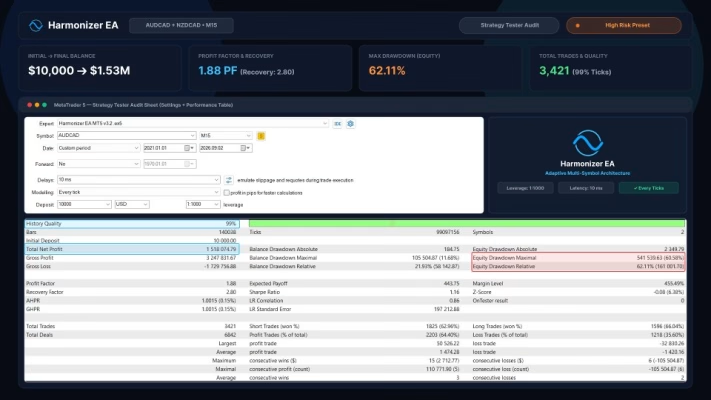
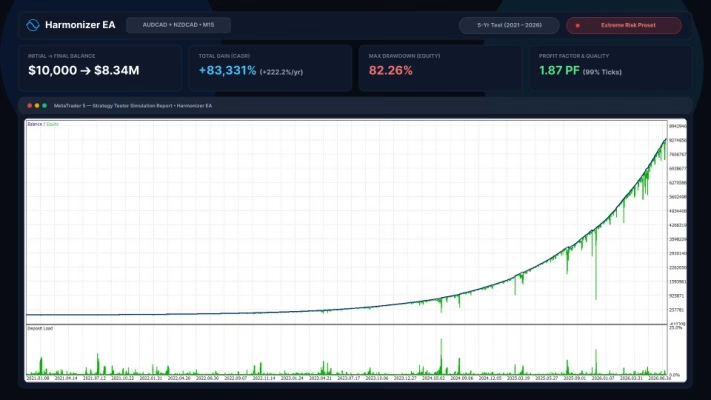
Nevertheless, no automated trading system can guarantee consistent profits or eliminate market risk. Before deploying Harmonizer EA on a live account, traders should conduct comprehensive backtesting, forward testing on a demo account, and carefully configure position sizing and drawdown limits.
Trade systematically, manage risk carefully, and allow your trading strategy to operate within clearly defined parameters.
Related products


EXPERT ADVISOR


EXPERT ADVISOR

Copy Trading Tools

EXPERT ADVISOR


EXPERT ADVISOR

EXPERT ADVISOR


EXPERT ADVISOR

EXPERT ADVISOR