 Myfxbook
 How to purchase and update products?
 FAQ – Frequently Asked Questions & Important Information at TopEAstore.com
 VPS
VPS DOWNLOADS
 My account

ToTheMoon MT4 Unlimited + SetFiles

$20
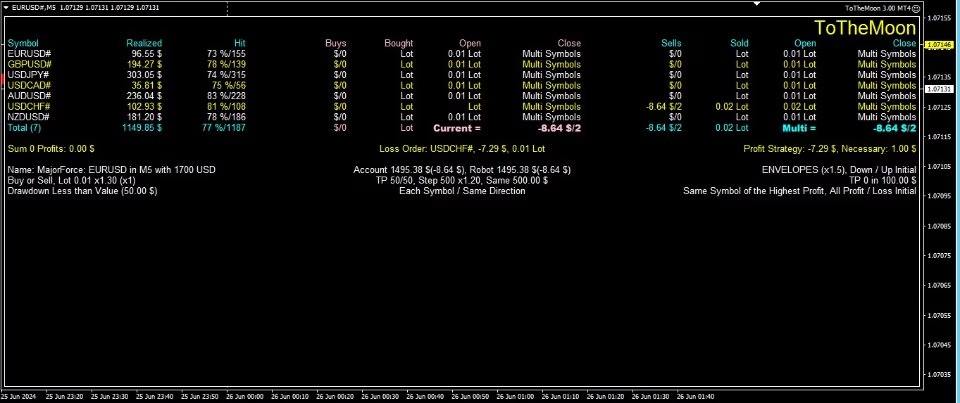
ToTheMoon MT4 is an automated MetaTrader 4 Expert Advisor featuring configurable grid trading, average-price strategies, ready-made presets, multi-symbol options, and flexible money management. Designed for traders who want systematic trade execution and the ability to backtest different strategies before live deployment.
Receive your product instantly via email right after purchase.
All products sold on our website are full, unlimited-use versions.
Any new versions we receive will be automatically added to your account.
No hidden fees—what you see is what you pay.
ToTheMoon MT4 – Automated Grid Trading Expert Advisor
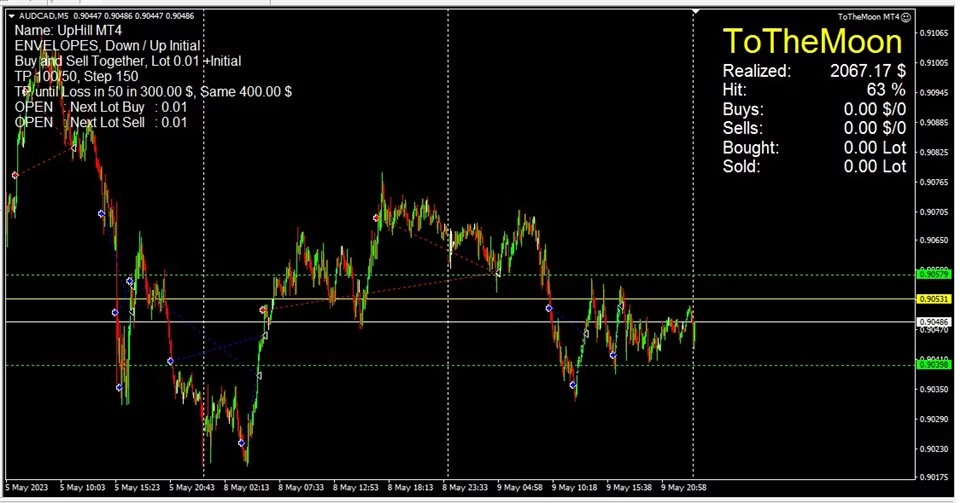
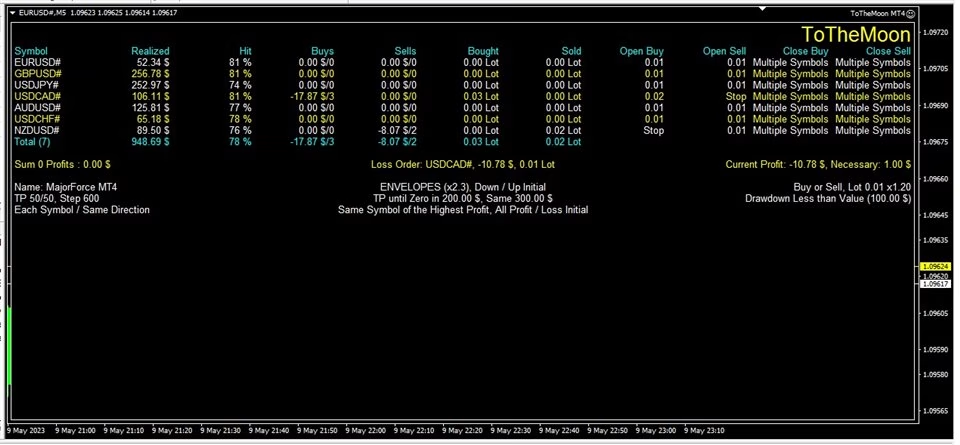
ToTheMoon MT4 is an automated Forex trading robot (Expert Advisor) designed for MetaTrader 4. It uses configurable grid-based trading strategies to seek opportunities from price fluctuations, build an average entry price, and close positions as the market retraces.
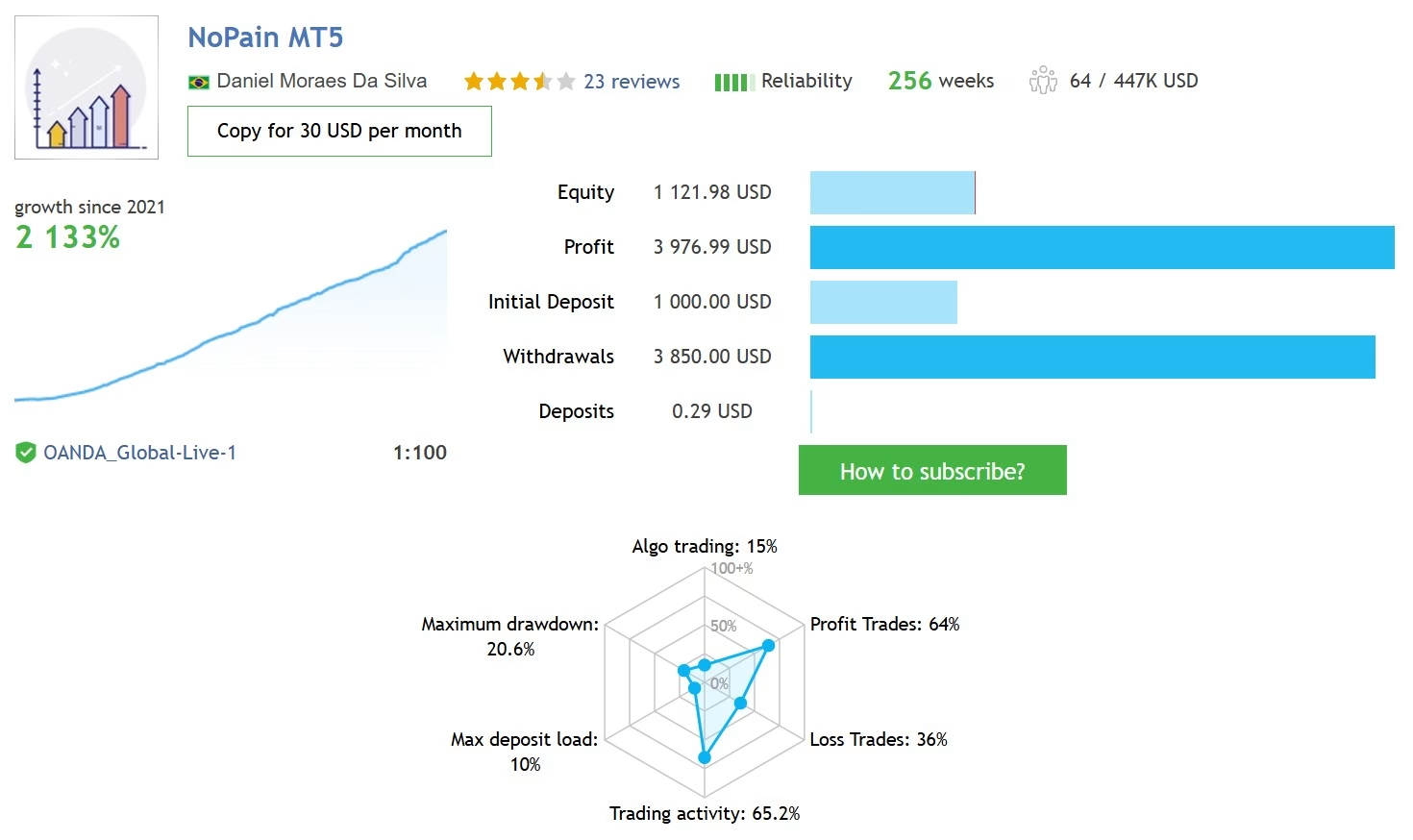
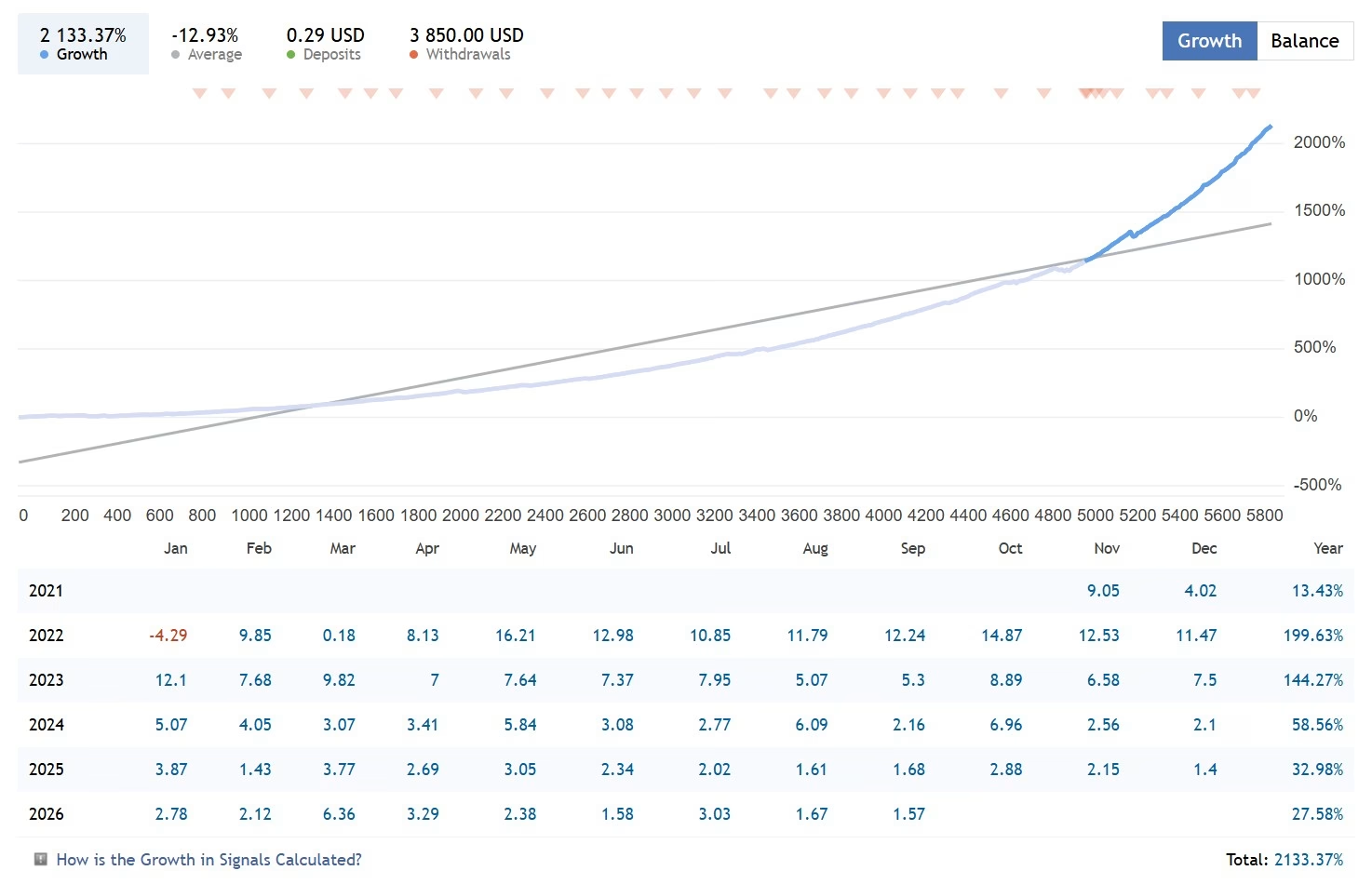
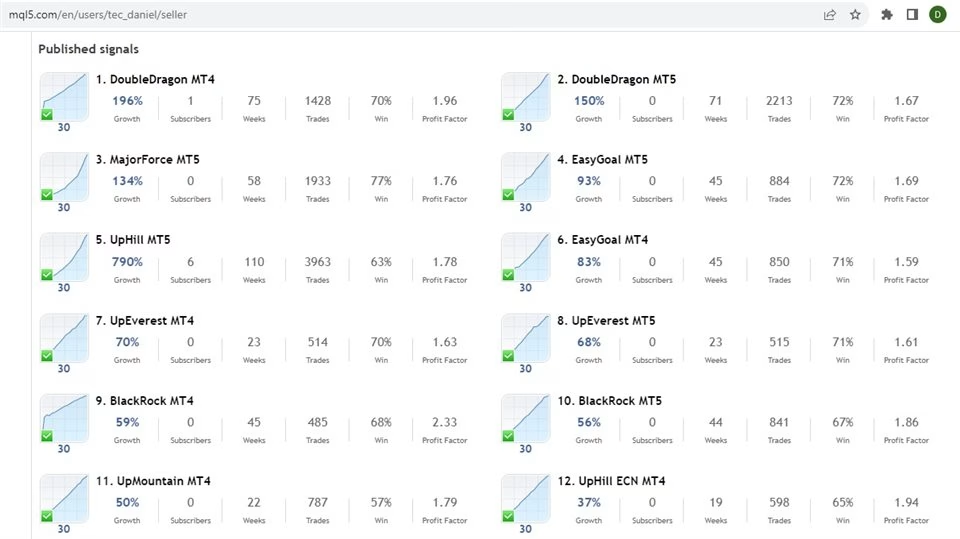
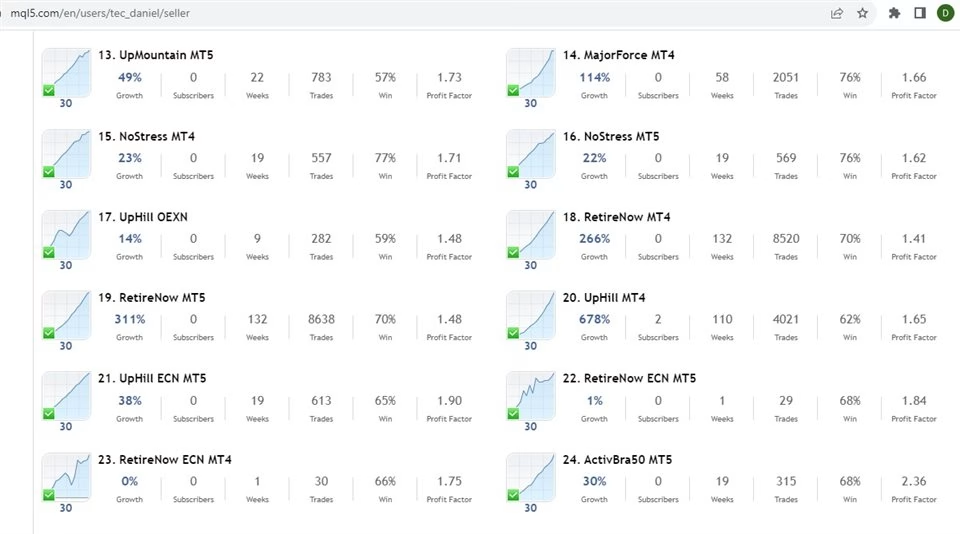
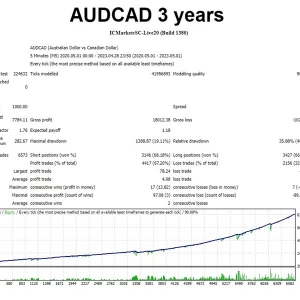
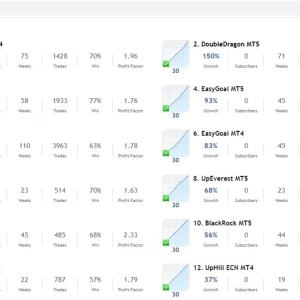
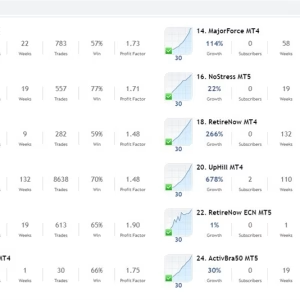
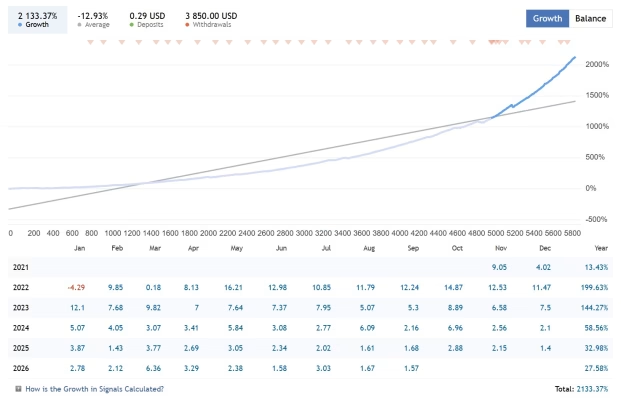
With more than three years of signal history and multiple ready-to-use presets, ToTheMoon MT4 is designed for traders who want to automate a structured trading strategy while retaining control over risk settings, symbols, timeframes, and money management.
Important: ToTheMoon MT4 uses strategies that can involve grid trading and increasing position sizes as the market moves against an open position. This can result in significant drawdown and does not guarantee profits. Always backtest a preset before using it on a live account.
ToTheMoon MT4 Features for Automated Trading
ToTheMoon MT4 provides a wide range of parameters that allow traders to customize the robot according to their preferred trading approach.
Key features include:
- Automated trading for MetaTrader 4.
- Configurable grid trading strategy.
- Average-price trading logic.
- Flexible position and lot management.
- Multiple preset configurations for different trading conditions.
- Multi-symbol trading support in applicable presets.
- Money management settings designed around USD-based accounts.
- Ability to backtest strategies before deploying them on a live account.
- Compatible with various broker-supported instruments, depending on the broker.
- Designed for continuous operation on a VPS.
The robot is intended for traders who prefer systematic execution instead of manually managing every entry and exit.
How the ToTheMoon MT4 Grid Strategy Works
Most ToTheMoon MT4 presets use a grid-style approach.
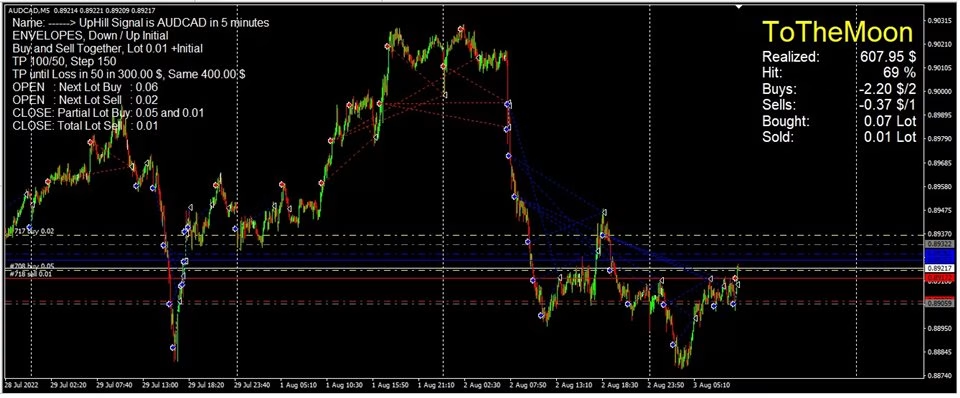
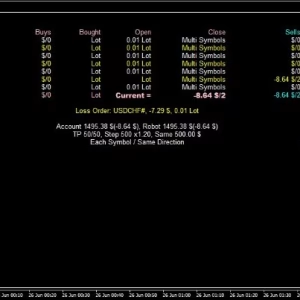
The robot can open a series of positions as the market moves against the initial trade. Position sizes may increase according to the preset configuration, while the robot attempts to improve the average entry price.
When the market retraces, the combined positions can potentially be closed according to the preset’s exit logic.
Some configurations also use partial position closures to help manage losing positions and attempt to control drawdown.
For multi-symbol presets, positions from different symbols can be considered together when managing losses and exits.
Because this approach relies on price retracement, it can perform differently depending on market conditions. Range-bound markets may be more suitable for this type of strategy, while strong directional trends can create substantial floating losses.
Recommended ToTheMoon MT4 Presets
The developer provides ready-made presets so traders do not have to configure every parameter manually.
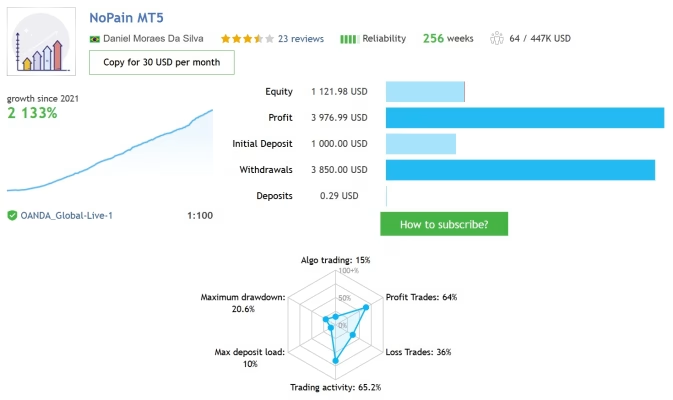
NoPain Preset
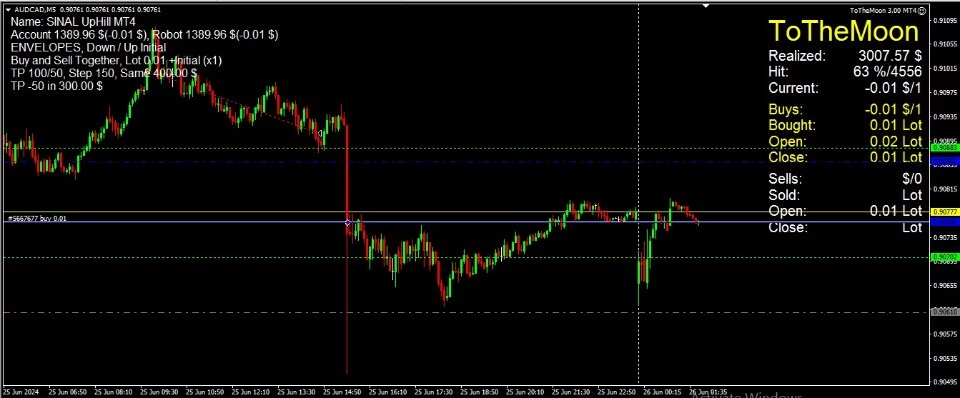
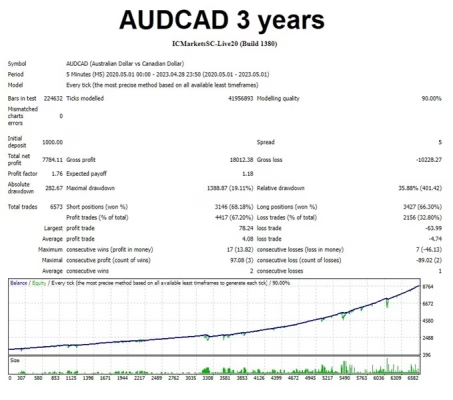
Market: AUDCAD
Timeframe: M5
Recommended minimum balance: $1,200
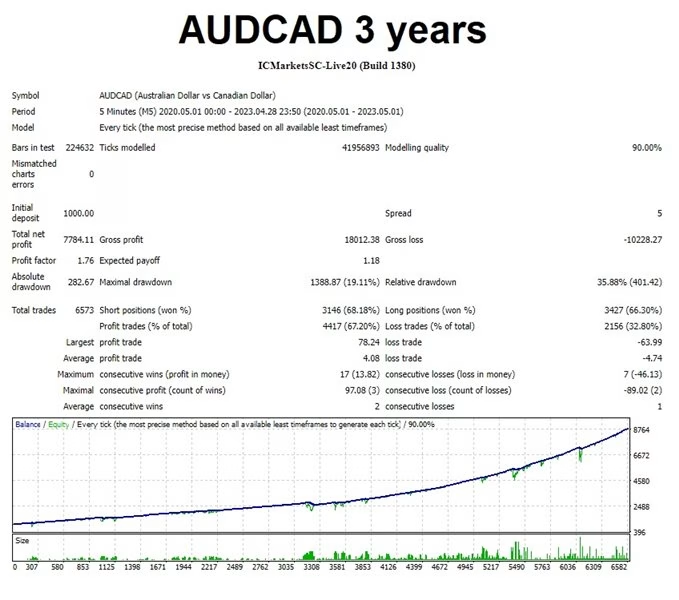
The NoPain preset is designed for automated trading on AUDCAD using the M5 timeframe.
Traders should download the corresponding preset, verify that it matches the robot version, and run a backtest before considering live deployment.
NoStress Preset
Market: AUDCAD
Timeframe: M5
Recommended minimum balance: $600
The NoStress preset is another AUDCAD M5 configuration designed for traders looking for a different balance between trading frequency, position management, and required capital.
The recommended balance should be treated as a configuration reference rather than a guarantee of sufficient capital under all market conditions.
Why AUDCAD Is Used in Several Presets
According to the developer’s strategy description, AUDCAD is preferred for several presets because its historical price behavior may be more compatible with a grid strategy than instruments that frequently experience strong directional moves.
The strategy requires the market to retrace toward the average position price. Strong trends can therefore create extended periods of floating drawdown.
For this reason, traders should be particularly cautious when applying grid strategies to instruments such as Gold, Bitcoin, and major indices, which can experience substantial directional movements.
Backtesting ToTheMoon MT4 Before Live Trading
Backtesting is an essential part of using ToTheMoon MT4.
Before running the EA on a live account:
- Select a preset compatible with your robot version.
- Confirm the symbol and timeframe.
- Verify the recommended minimum balance.
- Check the money management settings.
- Run a historical backtest.
- Review maximum drawdown, floating loss, trade frequency, lot progression, and recovery behavior.
- Test again after updating the robot or preset.
- Only consider live deployment after understanding the strategy’s potential risks.
Past backtest or signal performance does not guarantee future results.
Use Presets From the Correct Robot Version
ToTheMoon MT4 presets must match the corresponding robot version.
For example, a preset created for version 3.5 should be used with the appropriate version 3.5 robot.
When the EA is updated, some preset variables may change. Older presets should therefore be recreated or their values manually transferred into the current version rather than being loaded directly without verification.
Always perform a new backtest after updating the EA or modifying a preset.
MetaTrader 4, Leverage and Account Requirements
ToTheMoon MT4 is designed specifically for MetaTrader 4.
The developer states that:
- The EA requires MetaTrader 4 to remain running continuously.
- A Windows VPS is recommended for 24/7 operation.
- Account leverage should be above 1:100; lower leverage can significantly reduce the available trading capacity and affect results.
- USD account currency is preferred because the supplied presets are configured around USD values.
- Non-USD accounts may require adjustments in the Money Management section.
- FIFO-type accounts are not supported.
- The EA is intended for brokers and instruments supported by MetaTrader 4.
Always verify your broker’s contract specifications, margin requirements, trading restrictions, and execution conditions before using the EA.
ToTheMoon MT4 VPS Setup
Because an Expert Advisor needs MetaTrader 4 to remain active, a VPS can help maintain continuous operation.
A typical setup involves:
- Renting a Windows VPS.
- Installing MetaTrader 4.
- Logging into the trading account.
- Installing ToTheMoon MT4.
- Loading the correct preset.
- Attaching the EA to the required chart.
- Enabling automated trading.
- Monitoring the terminal, connection, margin, and EA activity.
A stable VPS connection can help reduce interruptions caused by shutting down a personal computer or losing an internet connection.
ToTheMoon MT4 Compatibility
ToTheMoon MT4 is intended for use with brokers that provide compatible MetaTrader 4 instruments.
Depending on the broker, these may include:
- Forex
- Metals
- Indices
- Cryptocurrencies
- Stocks
- Options
- Mini contracts
- Other broker-supported instruments
However, the EA is not designed for direct use with standalone cryptocurrency exchanges such as Binance, BitMEX, or Coinbase, nor with binary-options platforms.
Broker-specific symbol names, spreads, contract sizes, margin rules, and execution conditions can affect how the EA operates.
Important Risk Warning
ToTheMoon MT4 uses grid-based trading techniques in many of its presets. Some configurations may increase lot sizes as the market moves against existing positions.
This means the strategy can experience significant floating drawdown during prolonged trends or abnormal market conditions.
Forex and leveraged trading are high-risk activities. A strategy that has performed well historically can still experience substantial losses in the future.
The EA should therefore be considered a trading automation tool, not a guarantee of profitability.
Never risk capital that you cannot afford to lose, and carefully evaluate the strategy through backtesting and, where appropriate, demo trading before using real funds.
ToTheMoon MT4 Purchase and Activation
When purchased through MQL5.com, the product can be activated according to MQL5’s current activation rules.
The developer states that the purchase provides five activations for five computers. Changing computers, reinstalling Windows, or changing VPS may consume another activation.
For purchases made directly from the developer, an Unlock Code is required. The code is associated with the user’s trading account, and a separate code may be required for each account.
Review the applicable activation terms before choosing the computer or VPS where the EA will be installed.
ToTheMoon MT4 Resources and Presets
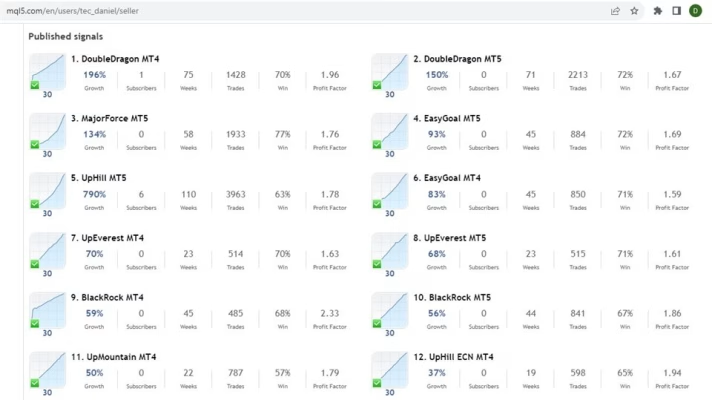
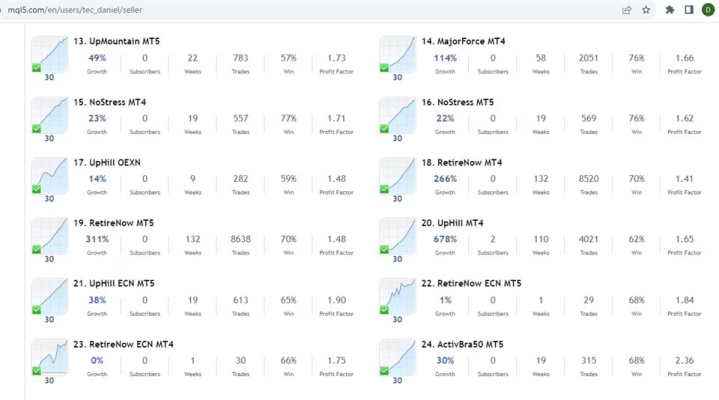
Traders can access the developer’s profile, robot versions, signal examples, and recommended presets through the following resources:
Developer Profile:
https://www.mql5.com/en/users/tec_daniel
ToTheMoon MT4:
https://www.mql5.com/en/market/product/97963
ToTheMoon MT5:
https://www.mql5.com/en/market/product/97962
Developer’s Signals:
https://www.mql5.com/en/users/tec_daniel/seller
NoPain MT4 Signal:
https://www.mql5.com/en/signals/2274095
NoPain MT5 Signal:
https://www.mql5.com/en/signals/2262642
NoStress MT4 Signal:
https://www.mql5.com/en/signals/2023750
NoStress MT5 Signal:
https://www.mql5.com/en/signals/2023752
ToTheMoon MT4 – Automated Trading With Ready-Made Presets
ToTheMoon MT4 is an automated MetaTrader 4 Expert Advisor built around configurable grid and average-price trading techniques.
Its ready-made presets simplify the process of testing different strategies, while its extensive parameters provide flexibility for experienced traders who want to customize their trading environment.
For the best understanding of the EA, start with a compatible preset, perform a thorough backtest, analyze drawdown and margin requirements, and only then consider whether the strategy fits your own risk tolerance and trading plan.

Related products


EXPERT ADVISOR

EXPERT ADVISOR


EXPERT ADVISOR


EXPERT ADVISOR

EXPERT ADVISOR

EXPERT ADVISOR


EXPERT ADVISOR


EXPERT ADVISOR