 Myfxbook
 How to purchase and update products?
 FAQ – Frequently Asked Questions & Important Information at TopEAstore.com
 VPS
VPS DOWNLOADS
 My account
Forex And Stocks Robot Scalper MT5 Unlimited


$30
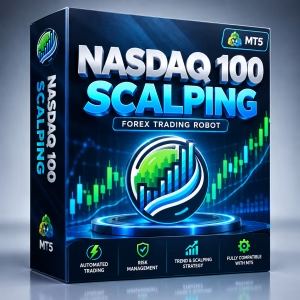
The Trading Robot Scalper MT5 is an automated Expert Advisor designed for trading the NASDAQ 100 Index on MetaTrader 5. Combining scalping and trend-following principles, it helps automate trading decisions according to predefined rules and supports stop-loss and take-profit settings for structured risk management. Ideal for traders exploring automated NASDAQ 100 trading, this MT5 robot offers a systematic approach to short-term market opportunities. Test on a demo account before live trading, as market conditions and trading costs can affect performance.
Receive your product instantly via email right after purchase.
All products sold on our website are full, unlimited-use versions.
Any new versions we receive will be automatically added to your account.
No hidden fees—what you see is what you pay.
Trading Robot Scalper MT5 – Automated NASDAQ 100 Index Trading
The Trading Robot Scalper MT5 is an automated trading solution designed for trading the NASDAQ 100 Index through the MetaTrader 5 (MT5) platform. Developed for traders who want to take advantage of short-term market movements, this Expert Advisor (EA) helps automate trade execution based on its programmed trading strategy.
By combining a systematic scalping approach with trend-following principles, the Trading Robot Scalper MT5 is designed to identify potential trading opportunities in the NASDAQ 100 market. It also supports essential risk management features, including stop-loss and take-profit settings, helping traders define their trade parameters and manage potential exposure.
Whether you are an active index trader or an experienced algorithmic trader, the Trading Robot Scalper MT5 offers an automated approach to NASDAQ 100 trading while reducing the need for constant manual monitoring.
Trading Robot Scalper MT5 Strategy for NASDAQ 100
The Trading Robot Scalper MT5 is designed around a combination of scalping and trend-following strategies for trading the NASDAQ 100 Index. These approaches focus on short-term price fluctuations while considering broader market direction to identify potential entry and exit opportunities.
The NASDAQ 100 is known for its dynamic price movements, particularly during major US trading sessions and periods of significant economic news. An automated trading approach can help execute predefined trading rules without relying entirely on manual decisions.
Key strategy elements include:
- Scalping Opportunities: Focuses on short-term NASDAQ 100 price movements according to the robot’s programmed trading conditions.
- Trend-Following Approach: Seeks to identify potential opportunities aligned with market direction.
- Automated Trade Execution: Executes supported trading operations according to predefined rules.
- Structured Trade Management: Uses available stop-loss and take-profit parameters to manage individual positions.
- Systematic Trading Discipline: Helps reduce emotional decision-making by following programmed trading logic.
Actual trading behavior depends on the EA’s strategy implementation, configuration, broker conditions, and prevailing market volatility. Backtesting and demo trading are recommended before using real capital.
Key Features of Trading Robot Scalper MT5
The Trading Robot Scalper MT5 is designed to simplify automated NASDAQ 100 trading through the MT5 platform.
- NASDAQ 100 Index Trading: Designed for automated trading opportunities in the NASDAQ 100 market.
- Scalping and Trend-Following Strategy: Combines short-term trading concepts with market trend analysis.
- MetaTrader 5 Compatibility: Designed to operate within the MT5 trading environment.
- Automated Trade Execution: Follows programmed entry and exit conditions to reduce manual intervention.
- Stop-Loss Settings: Helps define the maximum intended loss for individual positions, subject to execution conditions.
- Take-Profit Settings: Allows profit-taking levels to be configured according to the trading plan.
- Flexible Parameters: Supported settings can be adjusted to suit individual trading preferences and risk tolerance.
- Systematic Position Management: Helps maintain a consistent trading process based on predefined rules.
These features are intended to support a more structured trading workflow. They do not eliminate market risk or guarantee profitable results.
Why Trade the NASDAQ 100 Index?
The NASDAQ 100 Index tracks 100 of the largest non-financial companies listed on the Nasdaq Stock Market, subject to the index’s eligibility and weighting methodology. It includes major companies across technology, consumer services, communications, and other growth-oriented sectors.
Well-known constituents have included companies such as Apple, Microsoft, Amazon, NVIDIA, Tesla, and Alphabet. Their market performance, together with broader economic developments, can influence NASDAQ 100 price movements.
Traders are often attracted to the NASDAQ 100 because of its liquidity, volatility, and responsiveness to market news. These characteristics can create opportunities for short-term trading, although they can also increase the risk of rapid losses.
With the Trading Robot Scalper MT5, traders can explore an automated approach to NASDAQ 100 trading without having to manage every trading decision manually.
Why Choose Trading Robot Scalper MT5 for NASDAQ 100 Trading?
Trading the NASDAQ 100 requires discipline, effective execution, and careful risk management. Fast price movements can create opportunities, but they can also make manual trading challenging, especially during periods of elevated volatility.
The Trading Robot Scalper MT5 provides an automated framework for applying a predefined trading strategy to the index.
Potential benefits include:
- Time-Saving Automation: Reduces the need to monitor NASDAQ 100 charts continuously.
- Consistent Trading Rules: Applies programmed entry and exit conditions systematically.
- Short-Term Trading Focus: Supports a scalping-oriented approach to NASDAQ 100 price movements.
- Built-In Risk Management Tools: Offers stop-loss and take-profit settings to help structure trade management.
- MT5 Trading Environment: Integrates the trading workflow into MetaTrader 5.
- Reduced Emotional Interference: Helps limit impulsive decisions by following predefined trading logic.
The effectiveness of an automated strategy depends on market conditions, transaction costs, execution quality, and configuration. Traders should evaluate performance rather than assume that automation guarantees better results.
Risk Management for NASDAQ 100 Scalping
Risk management is especially important when trading the NASDAQ 100 because sharp price movements can quickly affect open positions. Scalping strategies may also be sensitive to spreads, commissions, and slippage, which can reduce the profitability of frequent trades.
The Trading Robot Scalper MT5 supports stop-loss and take-profit settings to help traders define trade management parameters. These tools can contribute to a structured trading plan, but they cannot eliminate losses or guarantee execution at a specified price during volatile conditions.
For more disciplined NASDAQ 100 trading, consider the following practices:
- Control Position Size: Select trade volumes appropriate for your account balance and risk tolerance.
- Configure Stop-Loss Levels: Set protective levels based on your trading plan and market conditions.
- Define Take-Profit Targets: Establish realistic exit objectives before entering a trade.
- Monitor Trading Costs: Consider spreads, commissions, and potential slippage.
- Evaluate Market Volatility: Recognize that major economic releases and US market events can trigger sudden price movements.
- Test Before Live Trading: Use historical testing and a demo account to assess the robot’s behavior and potential drawdowns.
A disciplined approach to risk management is essential for evaluating any NASDAQ 100 trading robot.
Who Is Trading Robot Scalper MT5 Suitable For?
The Trading Robot Scalper MT5 may suit traders looking to explore automated NASDAQ 100 index trading through MetaTrader 5.
- NASDAQ 100 Traders: Those interested in automating a short-term index trading strategy.
- Scalpers: Traders who focus on short-term price movements and systematic trade execution.
- Algorithmic Traders: MT5 users who want to incorporate an Expert Advisor into their trading workflow.
- Experienced Index Traders: Traders who want to test automated execution alongside their existing analysis.
- Time-Constrained Traders: Individuals who prefer automated trade management over constant manual monitoring.
Users should understand the robot’s operating requirements, supported settings, and risk profile before deploying it on a live account.
How to Set Up Trading Robot Scalper MT5 on MetaTrader 5
Getting started with the Trading Robot Scalper MT5 involves preparing the MT5 platform, configuring the Expert Advisor, and testing its performance under different market conditions.
- Open MetaTrader 5: Set up an MT5 trading account with a broker that offers the NASDAQ 100 instrument.
- Install the Expert Advisor: Add the Trading Robot Scalper MT5 files to the appropriate MT5 directory according to the installation instructions.
- Open the NASDAQ 100 Chart: Select the broker’s corresponding NASDAQ 100 symbol, which may have a different name depending on the broker.
- Configure Trading Parameters: Review available settings, including trade volume, stop-loss, take-profit, and other supported risk controls.
- Backtest the Strategy: Use the MT5 Strategy Tester to evaluate historical performance where compatible historical data is available.
- Test on a Demo Account: Observe trade execution, transaction costs, drawdowns, and behavior during different market conditions.
- Monitor Performance: Review trading results regularly and avoid increasing risk based solely on a short period of positive performance.
Before installation, verify that your broker’s NASDAQ 100 instrument is compatible with the EA. Depending on the broker, the instrument may be offered as a CFD or another index-linked trading product rather than direct ownership of the index.
Final Thoughts on Trading Robot Scalper MT5
The Trading Robot Scalper MT5 is designed for traders seeking an automated approach to NASDAQ 100 index trading on MetaTrader 5. By combining a scalping-oriented strategy with trend-following principles and configurable stop-loss and take-profit settings, it aims to make short-term trading more systematic.
The NASDAQ 100 can offer attractive trading opportunities because of its liquidity and dynamic price movements. However, the same characteristics can expose traders to substantial volatility and rapid losses.
For a responsible trading approach, evaluate the robot through backtesting and demo trading, verify compatibility with your broker’s NASDAQ 100 instrument, and use risk settings appropriate for your account. Automated trading should be treated as a tool for executing a strategy, not as a guarantee of profitability.

Related products

EXPERT ADVISOR
![💎 BilzSMC PREMIUM EA MQ4 [Source code] + SetFiles 💎 EA / Source code / Presets / No DLL 💎 FTMO / MFF / PROPFIRMS 💎 Unlimited + Free update](https://topeastore.com/wp-content/uploads/2023/12/photo_2023-12-25_10-52-47-300x300.jpg)
EXPERT ADVISOR


EXPERT ADVISOR


EXPERT ADVISOR


EXPERT ADVISOR

EXPERT ADVISOR


EXPERT ADVISOR

EXPERT ADVISOR